Your Data Center Is in Another City: How a Specialist Team Runs Its Network Remotely
A task-by-task split between a remote network operations team and the data center's remote hands staff, the out-of-band and credential rules that make it work, how it is priced, and what to prepare before handover.
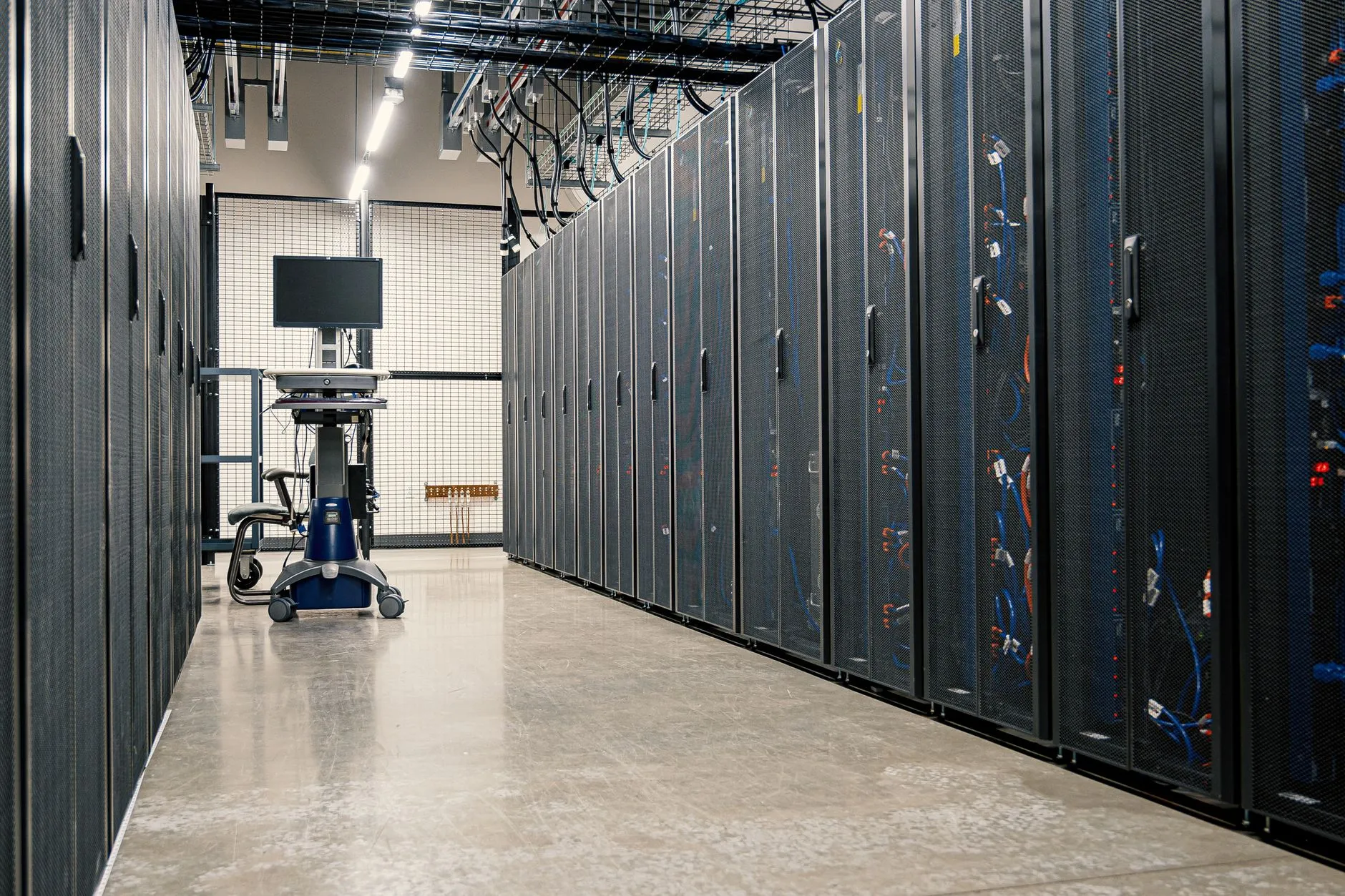
Quick answer: When your data center is in another city, a remote specialist team can run almost all of the network: monitoring, configuration changes, backups, firmware and troubleshooting. The facility's remote hands staff do the physical work: swapping parts, re-patching cables and power-cycling. It works only with out-of-band access, current rack and port records, and an agreed way to open tickets with the facility.
A specialist team can run the network in a data center it never visits, provided the work is split cleanly: the remote team watches, changes and backs up the equipment, and someone in the building plugs, swaps and powers it. This guide gives you that split task by task, the access you must provide, the hand-off with the facility, and a checklist for handover. Our own scope, per-device rates and onsite options are on our network and server maintenance pricing page.
For the general picture of a network maintenance contract, start with network maintenance services: what is included, pricing and SLA.
The short answer: remote engineers look, change and back up; the facility plugs, swaps and powers
The remote team should own every task done through a management interface, and the facility only the tasks that need hands on hardware. Anything in between, such as a device that has stopped answering, is diagnosed remotely first, then turned into one specific physical request.
When this model fits
- The facility is far away: your IT team is in another city or country from the colocation cage or server room, so any visit means travel.
- Nobody local knows the network: there is no network engineer within reach of the site.
- The estate is mostly network and security gear: switches, firewalls, routers, load balancers, a console server and a UPS, all managed through their own interfaces.
What can be done remotely, and what needs someone on site
Most data center network work is remote; the physical list is short but cannot be skipped.
Remote tasks
- Monitoring and alerting: reachability, interface errors, CPU, memory, temperature, power supplies, uplinks and VPN tunnels, around the clock.
- Configuration changes: VLANs, routes, firewall rules, NAT and load-balancer pools, each with a ticket and a backup before and after.
- Configuration backups: stored off the device on a schedule and after every change, and test-restored now and then.
- Firmware levels: checked against the vendor's current advice and upgraded in approved windows.
- Troubleshooting: logs, counters and packet captures read to find the cause before anyone is dispatched.
- Capacity reports: uplink utilisation, port usage, licence and support expiry dates.
Tasks that need someone in the building
- Replacing failed parts: a power supply, fan tray, line card or optical transceiver.
- Physical cabling: re-patching, tracing, labelling or adding a cross-connect.
- Hard power-cycling: a hung device that cannot be restarted through its interface or a switched PDU.
- Racking new equipment: mounting, cabling and first power-on, after which the remote team configures it.
- Visual checks: front-panel LEDs, a seated cable, a photo of the rack.
Who owns each task
- Remote operations team: everything in the remote list, plus diagnosis and the written instruction for any physical step.
- The facility's remote hands staff: the physical steps, done to that instruction, with photos and a confirmation.
- You, the customer: approving changes and windows, authorising who may enter or open facility tickets, and paying for hardware and parts.
Access: out-of-band management comes first
Without a second way into the equipment, remote operations stops exactly when it is needed. If the main link or core switch fails, the remote team loses its path to everything behind it.
Why out-of-band access is not optional
Out-of-band management is an independent path to each device's console or management port, typically a console server in the rack with its own internet line or cellular modem. With it, an engineer can reach a firewall that has dropped its main interfaces, roll back a bad change, or watch a device boot after a power-cycle. Without it, every serious fault becomes a request for someone to stand in front of the rack.
Check three things before handover: the console server reaches every critical device, its uplink does not depend on the production network, and someone has logged in through it in the last month.
Credentials: per person, logged, recoverable
The remote team should never work through a shared administrator account. Each engineer gets a named account with only the permissions the role needs, every session is logged, and accounts are removed the day someone leaves. Before you sign, also ask what happens on exit: which configurations, logs, diagrams and records the provider hands back, how it closes its own accounts, and how it deletes its copies of your data.
Security controls to ask for
Treat these as minimum standards to ask any provider for:
- Multi-factor authentication on every route into the management network.
- A jump host, so engineers never connect straight from a laptop to production devices.
- Session recording or command logs, kept for a period you agree.
- Approved maintenance only: remote sessions authorised in advance and closed when the work is done.
These follow the remote access (AC-17) and nonlocal maintenance (MA-4) controls in NIST SP 800-53 Rev. 5, a public control catalogue that is useful when you write such requirements into a contract.
When the problem is a security incident
If the remote team sees signs of an attack, such as unknown logins, unexpected rule changes or traffic to unfamiliar addresses, the contract scope should not slow the response. Agree in advance that the team will isolate affected devices, preserve logs and configurations as evidence and work with your security team or responder, and that any extra cost is settled afterwards. A provider that argues about scope while an incident is live is not one to keep.
How the remote team and the facility's remote hands work together
The two work as one chain only if the remote team can raise facility tickets directly, with instructions specific enough to follow without interpretation.
The ticket chain, step by step
- Alert: monitoring detects the fault and opens a time-stamped ticket.
- Remote diagnosis: an engineer logs in, through the out-of-band path if needed, and decides whether the cause is configuration, software or hardware.
- Facility request: for a physical action, the engineer opens a remote hands ticket naming the rack, unit, device label, port and exact action.
- Guided work: the engineer stays on the console while the technician acts.
- Verification and closure: the remote team confirms service is restored and records both tickets in the incident log.
A useful test: ask a provider for a sample instruction it would send to remote hands staff. If it says "check the switch", it is not specific enough.
What a usable remote hands instruction looks like
A good instruction can be followed by a technician who has never seen your rack, and it ends with a check the remote engineer can confirm. An illustrative example, not taken from a real customer:
- Where: hall 2, rack B14, unit 22, the device labelled CORE-SW-02, front side.
- What: remove the optical transceiver in port 48, insert the spare from the box labelled SPARE-SFP-LR in the rack's bottom drawer, and reconnect the fibre labelled B14-48-A.
- Check: confirm the port LED is green, photograph the port and reply in this ticket. The remote engineer stays on the console and confirms the link before closing.
- Stop rule: if the label or the spare does not match, stop and call the number in the ticket; do not try another port.
What the facility needs from you in advance
Technicians can only follow instructions that refer to something they can see. Give the facility and the remote team the same records: a rack elevation, a port map, consistent device labels and the location of spares. Our network mapping and documentation template lists what those records should contain.
Who pays for remote hands time
Facilities usually charge for remote hands per task or in time blocks, sometimes with some time included in the colocation contract. Whether your operations provider pays and recharges you, or the facility bills you directly, belongs in the contract before the first fault. Our article who actually goes to the cage walks through that question in a busy colocation site; it is a composite scenario, not a real customer.
Changes and maintenance windows in a remote data center
Changes at a site nobody can reach quickly should be more conservative than changes in the office next door, because recovery depends on access the mistake itself can remove.
- Prove the back door first: log in through out-of-band access before the window opens.
- Write the rollback before the change: the exact configuration to restore and the point at which you will use it.
- Use timed rollback where the platform supports it, so a change that cuts off access reverts on its own.
- Compare before and after: keep both configurations and the difference in the change record.
- Book hands for risky work: for a core upgrade, reserve remote hands in advance.
For firmware, also stage and verify the image before the window. The full order is in our network firmware upgrade checklist.
Spares and replacement parts in a remote rack
In a remote rack, repair time is usually set by how long the part takes to arrive, not by how long the swap takes. Decide in advance which parts wait in the rack and which come from a warranty or maintainer.
- Keep on site: small parts that fail often and are cheap to hold, such as optical transceivers, patch cables, a spare power supply for the core pair and, if the budget allows, one spare access switch. Label them and record where they are.
- Leave to the warranty or maintainer: chassis, line cards and other expensive parts, under a support contract whose replacement time matches how critical the device is.
- Check the delivery address: some warranties ship only to the registered country or need the facility's loading-dock details. Confirm this before a fault, not during one.
- Spend where it matters: a provider worth keeping proposes the cheapest arrangement that meets your recovery target, and says so when a redundant pair already makes a faster support contract unnecessary.
How remote data center network operations is priced
The usual structure is a monthly fee per device, with physical work charged separately, so the fixed cost follows the equipment you hand over rather than how often things break.
- Per device: each device class, such as core and security devices, access switches, access points, UPS units and servers, has its own monthly rate. Ours are on the network and server maintenance pricing page, with an estimator.
- Charged separately: the provider's own onsite visits, the facility's remote hands time, and hardware or parts.
- Onsite allowance: in our model, visits by our engineers are a yearly allowance priced from the dispatch rates for that country.
Hardware failure itself sits outside a network operations fee: the team diagnoses it and works with the warranty or your maintainer. The two routes are compared in third-party hardware maintenance vs OEM support.
Checklist: what to prepare before handover
A remote team can take over in days when records exist, and in weeks when they must be rebuilt. Prepare:
- Device list: model, serial, firmware, rack and unit, support contract.
- Topology and IP plan: diagram, VLANs, subnets, routing, management addresses.
- Out-of-band details: console server address, port-to-device map, how its line is provided.
- Current configurations: exported and stored before anyone changes anything.
- Facility details: remote hands ticket process, hours, escalation contacts, entry list.
- Carrier details: circuit IDs, account numbers, fault-reporting contacts.
- Authorised people: who may approve changes, spending and entry, named in the contract.
- Known problems: recurring faults and undocumented changes.
How to judge a remote network operations team
A capable remote team shows you records and timing commitments; a weak one talks about tools. Ask for evidence on five points:
- Timing: does it state detection, response and restoration separately? Ours are published per priority as first response, remote support, onsite and resolution times on our SLA page.
- A staffed operations centre: is there a duty team around the clock with shift handover? See our operation center and the general explainer what is a network operations center.
- Records: can it show a sample incident record, change record and monthly report, even with invented data?
- Information security management: a certification such as ISO/IEC 27001 is one useful signal of how access and records are controlled. Brocent is ISO/IEC 27001 certified.
- Room to grow: if you add a second data center or a site in another country, can it go into the same contract, records and reports, priced the same way, rather than starting a new supplier relationship?
Brocent has provided managed IT services since 2007 and has more than 360 long-term clients. Our managed network operations service covers the remote side described here, and the routine is set out in what remote network operations includes.
FAQ
Can a remote team run the network if the data center is in another country?
Yes. Almost all operations work is done through management interfaces, so distance does not matter once access is in place. Physical work is done by the facility's remote hands staff or a local engineer.
Can you run remote operations without out-of-band management?
You can, but you should not rely on it. Any fault that takes down the main link also locks out the remote team. Compare the one-off cost of a console server and its separate line with what a single unplanned trip to the site would cost you.
What is the difference between remote hands and a network operations service?
Remote hands is facility staff doing physical tasks on request. A network operations service is responsible for the network itself: monitoring, changes, backups and diagnosis. The operations team decides what to do; remote hands staff do the physical part.
When a device fails, who replaces it and who pays?
The remote team diagnoses the failed part. The replacement comes from the warranty, your maintainer or your spares, fitted by remote hands staff or a dispatched engineer. Parts and facility time are normally the customer's cost unless the contract says otherwise.
What access does the remote team need, and how is it controlled?
Management access to each device and to the out-of-band network. Control it with named accounts, multi-factor authentication, a jump host and session logs, and remove access the day an engineer leaves.
How is remote network operations for a data center priced?
Usually as a monthly fee per device, with onsite visits, remote hands time and hardware charged separately. Our per-device rates are on the network and server maintenance pricing page.
How long does handover take, and what do we need to prepare?
A single, well-documented site can usually start within about a week of signing; several sites or an undocumented network usually take two to four weeks. Prepare the items in the checklist above.
Sources and date checked
- NIST SP 800-53 Rev. 5, controls AC-17 Remote Access and MA-4 Nonlocal Maintenance. Checked 15 November 2026.
- Brocent's SLA page and the pricing pages linked above, for service scope, the onsite allowance, onboarding time and response targets. Checked 15 November 2026.
Next step
List the devices in your remote racks and open our network and server maintenance pricing page: the estimator gives a monthly figure from the device count, with onsite work priced separately.

Rogue Yu
IT Service Delivery Director, vCIO
Leads Brocent's global IT service delivery from Beijing and Singapore, with 15+ years in the role. Still designs network, hybrid cloud, managed IT and security solutions himself; senior ITIL and PMP certified.
View vCIO profileShare:
Ready to take action?
Turn these insights into a roadmap for your business.
Book a 15-minute no-obligation consultation with our APAC IT experts. We'll review your current setup and provide a tailored IT roadmap within 24 hours.
Explore all servicesFree Checklist
10 Critical Checks Before Expanding IT to Greater China
PIPL compliance, network segmentation, bilingual helpdesk setup, and more — everything your IT team needs before Day 1 in China.
Request the checklist →📬 Monthly Asia IT Insights
China compliance updates, cybersecurity alerts, and IT tips for APAC teams — once a month.
No spam. Unsubscribe anytime.
Related Articles
Oct 30, 2026
What Is a Network Operations Center (NOC)? Daily Work, Shift Routine and a Handover Note Template
Nov 03, 2026
Network & IT Hardware Maintenance Services: What's Included, Pricing Models & SLAs (Hong Kong and Singapore, 2026)
Sep 01, 2026
Your Servers Are in Tseung Kwan O. Who Actually Goes to the Cage?