Network & IT Hardware Maintenance Services: What's Included, Pricing Models & SLAs (Hong Kong and Singapore, 2026)
What network maintenance services include, how providers price them (per device, per monitor, retainer, break-fix), what the SLA actually promises, how network and IT hardware maintenance differ, a worked three-site scoping example, and how Brocent publishes its plans.
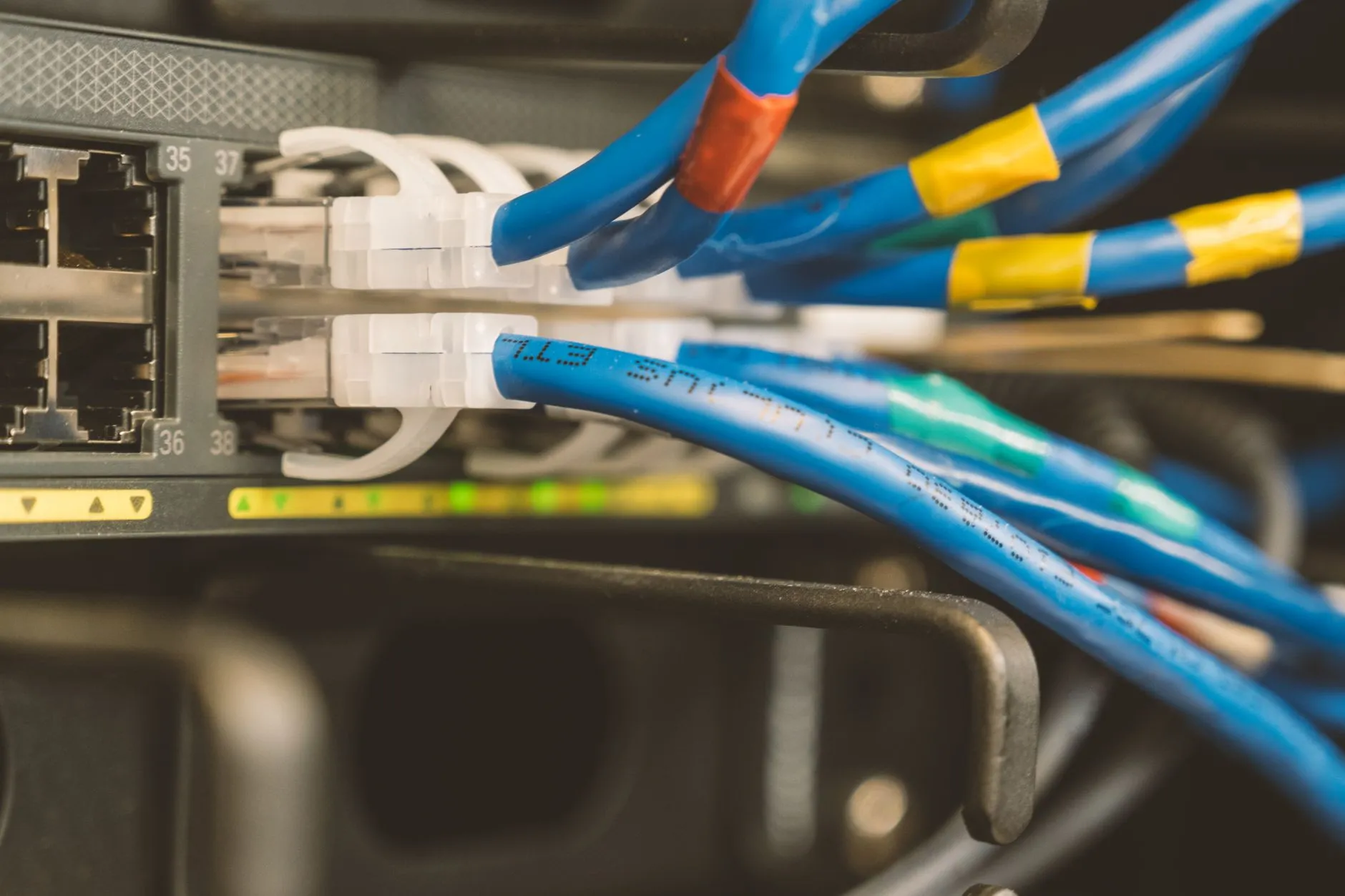
Short answer: Network maintenance services keep your switches, firewalls, Wi-Fi and links monitored, patched and repairable on an agreed schedule. Providers price them in one of four ways: per device or band of devices, per monitored item, a fixed monthly retainer, or break-fix hours. What matters more than the price is the SLA wording: whether it promises to detect, to respond or to fix, and whether anyone comes on site. Brocent publishes its standalone 24×7 monitoring plans and its per-market add-on rates for Managed IT clients on its network, server and wireless maintenance pricing page, so a quote can be compared line by line.
What are network maintenance services?
Network maintenance is the ongoing care of the equipment that moves your data: switches, routers, firewalls, wireless access points, controllers, and the links between sites. A provider does it in three layers:
- Watching. Monitoring that tells someone when a device, link or service is down or degraded.
- Looking after. Scheduled work: firmware and security updates, configuration backups, capacity and health checks, documentation.
- Fixing. Remote troubleshooting first, then an engineer on site, and a replacement part if hardware has failed.
Providers sell these layers separately or together. A monitoring-only plan watches and tells you. A managed maintenance plan watches, looks after and fixes. A break-fix arrangement only fixes, when you call. Most of the confusion in quotes comes from comparing one provider's "monitoring" to another's "maintenance".
This guide is for an IT or facilities manager buying ongoing maintenance for switches, firewalls and Wi-Fi across one to five sites in Hong Kong or Singapore. For the hardware-warranty side of maintenance, read IT hardware maintenance services in Asia; for a wireless estate, see Wi-Fi site survey services in Asia. For Brocent's own service description, see network and hardware maintenance.
What should a network maintenance contract include?
Treat the following as a checklist when you compare quotes. A good scope names each item or states plainly that it is excluded.
- Device inventory and discovery. The provider finds and lists every device on the network, with a topology map. Without a current inventory, nothing else can be priced or monitored properly. Brocent's service page describes automatic discovery using SNMP and Layer 2 network maps.
- Monitoring, with a defined interval and a defined escalation. What is checked (device up/down, interface errors, CPU and memory, link utilisation, key services), how often, from where and who is called. Brocent's page describes 24×7 monitoring from more than 10 global checkpoints with 1-minute health checks.
- Preventive maintenance. Scheduled health checks, configuration backups, firmware and security-patch upgrades and capacity assessments. Ask how often, and whether upgrades happen in an agreed change window.
- Remote troubleshooting and incident handling. The first response is nearly always remote. The contract should state how incidents are logged, prioritised and escalated.
- On-site attendance. Whether an engineer comes to site, how fast, and whether travel and time are inside the fee or charged separately.
- Hardware replacement. Who supplies a spare, how long the swap takes, and whether it depends on a separate manufacturer warranty. See the hardware-maintenance guide linked above.
- Reporting. A monthly report covering availability, performance, capacity and recurring incidents, with a short plan to reduce the repeat ones.
- Change control and access. Who may change configurations, how changes are approved and rolled back, and how the provider's staff authenticate to your systems.
- Documentation and handover. Network diagrams, configuration backups, and an exit process if you leave.
- Vendor coverage. Which brands the provider can actually manage. Brocent's page states support for more than 450 hardware vendors, and the ability to monitor others by adding their identifier.
A scope without the first, second and fifth items is a monitoring service, not network maintenance.
How are network maintenance services priced?
There are four common models. Each suits a different network.
- Per device or per band of devices. A flat fee per device, or a flat fee that covers a band of devices (for example, up to ten) and then steps up. It is the easiest to budget and to compare. The risk is that the definition of "device" varies: do access points, virtual interfaces and UPS units count?
- Per monitored item. The fee follows the number of monitors, interfaces or sensors. It scales precisely with what you ask for, but it can be hard to forecast, and a busy network generates a lot of monitors.
- Fixed monthly retainer. A set fee for a defined scope and a number of support tickets or hours. Predictable, and it works well for stable sites. Check what happens when you exceed the ticket allowance.
- Break-fix hours. You pay for time when something fails. The cheapest on a quiet month and the most expensive in an outage. It gives no monitoring, so you learn about failures from users.
Many providers combine two: a monitoring or per-device base plus a pre-agreed rate for on-site work.
What does Brocent publish?
Brocent's pricing page for network, server and wireless maintenance shows three ways to buy, all published in US dollars and excluding local taxes. The figures are not repeated in this article: they render on that page from the same data the quote tool uses, so the page is always the current version.
- Standalone 24×7 monitoring, no Managed IT plan needed. Starter and Pro differ in the number of basic and advanced monitors and in their elapsed-time SLA (2 hours for Starter, 4 hours for Pro); Enterprise is quoted per device. Each plan adds a one-time onboarding charge and an annual monitoring-tool licence to the monthly price, so the monthly figure is not the whole cost. The NOC watches around the clock, but the Starter and Pro plans' ticket and response service window is 5×8; the Enterprise plan adds a 24×7 response window.
- Plan add-on for Managed IT clients. Network and wireless maintenance is priced as a flat band covering up to ten devices, and virtual-server maintenance is priced per server, at per-market rates that render live on the page. It requires an active Managed IT plan.
- Managed UniFi controller hosting for clients who own UniFi access points, priced per access point.
The page explains the billing structure in three parts: a one-time onboarding charge, an annual tool licence and a recurring monthly plan price. When you compare any provider's quote with this, ask for the same three parts.
How do you estimate the true monthly cost?
For a standalone monitoring plan, the real first-year monthly cost is the monthly price, plus one-twelfth of the annual tool licence, plus the onboarding charge spread over the contract term. Run that sum for every quote you hold, using each provider's own three figures. On the smallest plans the one-time and annual charges can outweigh a year of monthly fees, which is exactly what a headline monthly price hides. Then compare like with like: plans differ in monitor count, SLA and service window.
The monitoring plan does not include on-site repair. Brocent prices on-site visits per visit, by country and by the hour, on the dispatch and on-site rates page; add the number of visits you expect in a year to the sum above.
A worked example: scoping three sites
Illustrative scenario, not a named client. A company has a Hong Kong head office, a Singapore office and a small branch. The IT manager counts what is on the network:
- Hong Kong head office: 2 firewalls, 1 core switch, 6 access switches, 12 wireless access points.
- Singapore office: 1 firewall, 2 switches, 5 access points.
- Small branch: 1 firewall, 1 switch, 2 access points.
That is 32 devices. Three questions then shape the quote.
- How many monitors does the provider need? A device is rarely one monitor. A switch may need an up/down check, several interface checks and a CPU and memory check. Thirty-two devices can easily exceed a small plan's allowance of basic monitors, so ask each provider how it counts, and whether the quote is per device, per band of devices or per monitor.
- Which devices are critical? The Hong Kong firewalls and core switch stop the business if they fail. The branch access points do not. Critical devices get 24×7 response and a spare; the rest can sit in a lower tier.
- What happens on site? With engineers in Hong Kong and Singapore, a failure in either office can be attended the same day on a dispatch basis, while the branch might be remote-first. Price the on-site visits separately from the monitoring, using the dispatch reference rates quoted above.
The result is usually a split: a managed or per-band plan for the two main offices, a lighter monitoring plan for the branch and a pre-agreed rate for on-site work. It is not a single number, and a provider who quotes one without asking about these three points has not scoped the work.
Network maintenance or IT hardware maintenance services: which do you need?
Network maintenance and IT hardware maintenance overlap, but they are bought for different reasons. Network maintenance keeps the network healthy: monitoring, updates, configuration and troubleshooting. IT hardware maintenance services answer a narrower question: when a component fails after the manufacturer warranty has ended, who holds the spare part, who brings it to site, and who supports a model the manufacturer no longer covers?
How do the two services compare?
- Network maintenance: switches, firewalls, Wi-Fi and links. The value is in monitoring, firmware updates, configuration backups and fast troubleshooting. Usually priced per band of devices, per monitor or as a retainer.
- IT hardware maintenance (third-party maintenance): servers, storage arrays, network equipment and server-room kit from several brands, often past warranty or past end of service life. The value is in parts held in the region and engineers who arrive with them. Usually priced per device, or after an on-site assessment for larger estates.
- Both under one provider: most offices need both, and they work best on one escalation path, so the alert, the diagnosis, the part and the visit sit with the same team.
Brocent's IT hardware maintenance services page describes the hardware side: one multi-vendor contract, Tier III backline engineers certified to CCIE and CISSP, and spare parts held in warehouses in 14 countries and regions.
What should you ask a server maintenance company in Hong Kong?
Many Hong Kong buyers start looking for a server maintenance company after a manufacturer's post-warranty renewal quote for servers or a server room. Ask each candidate:
- Where are the parts for my server models stocked, and in which city? An on-site response time means little if the part has to be ordered after the visit.
- Will you maintain models past the manufacturer's end of service life, and will you tell me when replacing a unit has become the better investment?
- Which brands can you cover under one contract and one SLA?
- What record do you keep of each visit and each part swapped? Firms that face an audit or regulatory review often need a documented maintenance history.
- Which service window applies to server alerts, and is on-site attendance inside the plan or billed per visit?
- Who looks after the server room around the servers: racks, power and cabling?
What SLAs should you expect, and what do they actually promise?
The word "SLA" covers three different promises. Read the clause, not the label.
- Detection. How quickly a fault is noticed. For a 24×7 monitoring service this is the check interval and the escalation path. Brocent's page describes a 1-minute health check.
- Response. How quickly a human acknowledges and starts work. The standalone plans state a 2-hour elapsed-time SLA for Starter and 4-hour for Pro.
- Resolution or restoration. How quickly service is restored. This is the strongest promise and the one most providers avoid, because it depends on parts, carriers and third parties. If a contract promises it, look for the exclusions.
Then check the following:
- Service window. 5×8 is not 24×7. A plan that watches only in office hours will not wake anyone at 3 a.m.
- Elapsed time versus working time. Elapsed time runs on the clock; working time stops outside the window.
- On-site attendance. Brocent's general dispatch model describes a 4-hour emergency or next-business-day arrival. Confirm whether your plan includes it or whether it is a separate dispatch charge.
- Credits and exclusions. Service credits for misses, and what is excluded: carrier faults, customer-caused changes, end-of-support equipment.
- Reporting on the SLA. A monthly figure for how often the provider met it.
Brocent's overall response and credit framework is on the SLA page.
How do the options compare?
- Monitoring-only plan. Cheap and fast to start, with a clear scope. You learn about faults early, but someone else has to fix them, and updates and backups are your job. Best when you already have network skills in-house.
- Managed network maintenance (monitoring plus care plus fixes). One provider watches, maintains and repairs under an SLA, usually inside a Managed IT plan. Higher monthly cost, with the strongest fit for sites without network engineers.
- Break-fix with a local engineer. No fixed cost and no monitoring. Reasonable for a very small, stable network, and it becomes expensive and slow once the network matters to revenue.
- Manufacturer support contracts. These replace hardware but do not monitor, configure or troubleshoot your network. They complement a maintenance service; they do not replace one.
What goes wrong, and how do you avoid it?
- Buying monitoring and expecting maintenance. Read the scope for updates, backups and fixes.
- No inventory. A provider cannot monitor what it has not found. Insist on a discovery and a topology map in the first weeks. Brocent's service page describes an intake survey and states 4 days from survey to full coverage.
- Alerts nobody owns. Agree who is called, in which order, and who can approve an emergency change.
- End-of-support equipment. A device the manufacturer no longer patches is a risk the contract may exclude. List them up front.
- Carrier faults blamed on you. Ask whether the provider will raise and chase faults with your internet and WAN carriers.
- Access without governance. Ask how provider engineers authenticate and how customer environments are separated. Brocent's page describes change control, multi-factor authentication and segregated customer access, and states ISO/IEC 27001 certification; ask any provider for the equivalent evidence.
Questions to ask before you sign
- What exactly do you monitor, from where, and how often?
- Is the SLA about detection, response or resolution, and over which hours?
- Who attends on site, how quickly, and what does it cost?
- How are devices counted for pricing?
- What are the one-time and annual charges on top of the monthly fee?
- How do you handle firmware upgrades and configuration backups?
- What do you exclude: carrier faults, end-of-support equipment, wireless survey work?
- What does the monthly report contain?
- What happens to my data and access when we leave?
Frequently asked questions
What is the difference between network monitoring and network maintenance?
Monitoring tells you something is wrong. Maintenance also looks after the equipment (updates, backups, health checks) and fixes it. A monitoring-only plan is often the entry point, and some providers sell the full service as an upgrade.
How much do network maintenance services cost in Hong Kong and Singapore?
It depends on the model and the number of devices or monitors. Brocent publishes its standalone 24×7 monitoring plans (Starter, Pro, and an Enterprise tier quoted per device, each with a one-time onboarding charge and an annual tool licence) and its per-market add-on rates for Managed IT clients on the pricing page; read the current figures there. A managed plan with on-site cover will cost more than monitoring alone.
Do I need 24×7 monitoring?
If an outage outside office hours would cost you revenue or stop a regulated process, yes. If the network matters only during the working day, a 5×8 plan may be enough. Remember that a 24×7 watcher does not help unless the SLA also covers who responds.
Does network maintenance include Wi-Fi?
Usually yes for access points and controllers, but check whether site surveys, re-planning and performance tuning are in scope or priced as projects. Brocent also offers a managed wireless network service for the controller and ongoing wireless operation.
Who pays for replacement hardware?
Normally you, unless the device is under a manufacturer warranty or a hardware-maintenance contract. A network maintenance service coordinates the replacement and does the configuration work; it does not usually supply the unit itself.
Can one provider cover both Hong Kong and Singapore?
Yes, where the provider has monitoring that is not tied to a city and engineers in both. Ask for the on-site response commitment for each location in writing.
How long does onboarding take?
It depends on the size of the estate and how well documented it is. Brocent's service page states 4 days from intake survey to full coverage for its NOC service; ask any other provider for a date, not a promise.
Next steps
Start with an inventory of your devices and sites, decide whether you need detection, care or fixes, and ask each provider to quote the same three charges: onboarding, annual licence and monthly fee. To compare against Brocent's published figures, open the network, server and wireless maintenance pricing page and the IT hardware maintenance services page. If network care is part of a wider Managed IT decision, build a Hong Kong quote in the quote tool, or talk to a Brocent consultant to scope your sites.
Share:
Ready to take action?
Turn these insights into a roadmap for your business.
Book a 15-minute no-obligation consultation with our APAC IT experts. We'll review your current setup and provide a tailored IT roadmap within 24 hours.
Related services
Free Checklist
10 Critical Checks Before Expanding IT to Greater China
PIPL compliance, network segmentation, bilingual helpdesk setup, and more — everything your IT team needs before Day 1 in China.
Request the checklist →📬 Monthly Asia IT Insights
China compliance updates, cybersecurity alerts, and IT tips for APAC teams — once a month.
No spam. Unsubscribe anytime.
Related Articles

Jul 24, 2026
IT Hardware Maintenance: Third-Party vs OEM Support, SLAs & Cost (2026)

Jul 20, 2026
Wireless Site Survey Services: Passive vs Active vs Predictive (2026)

Sep 04, 2026
Guests Complained About Wi-Fi, Not Rooms: Managed Wireless at a Hong Kong Serviced Office Operator