Twelve Racks, One Weekend: A Hong Kong Rack Migration Runbook
For a group IT manager at a Hong Kong-headquartered manufacturer facing a lease deadline, moving twelve rack servers, a firewall pair, switches and a small SAN out of a landlord's building server room into a commercial facility with two provisioned 42U cabinets. Not the strategic guide to deciding whether and where to relocate a data centre — this is the move-night runbook itself: the pre-move survey, labelling and cabinet-mapping discipline, de-rack order, packing and transport, re-rack and power-on sequencing, the rollback point, and what out-of-hours physical work actually costs to arrange. Illustrative composite scenario; no Hong Kong facility operator is named as origin or destination.

De-rack, label, transport, re-rack, recable, power on — the move itself is a weekend. The risk is not the truck; it is whether the destination powers on in the right order with nothing missing. This is the move-night runbook and its commercials: how a twelve-rack Hong Kong server relocation is actually sequenced, what the rollback point is, and what out-of-hours physical work costs to run safely.
The scenario: a lease deadline, twelve rack servers, and two empty cabinets waiting
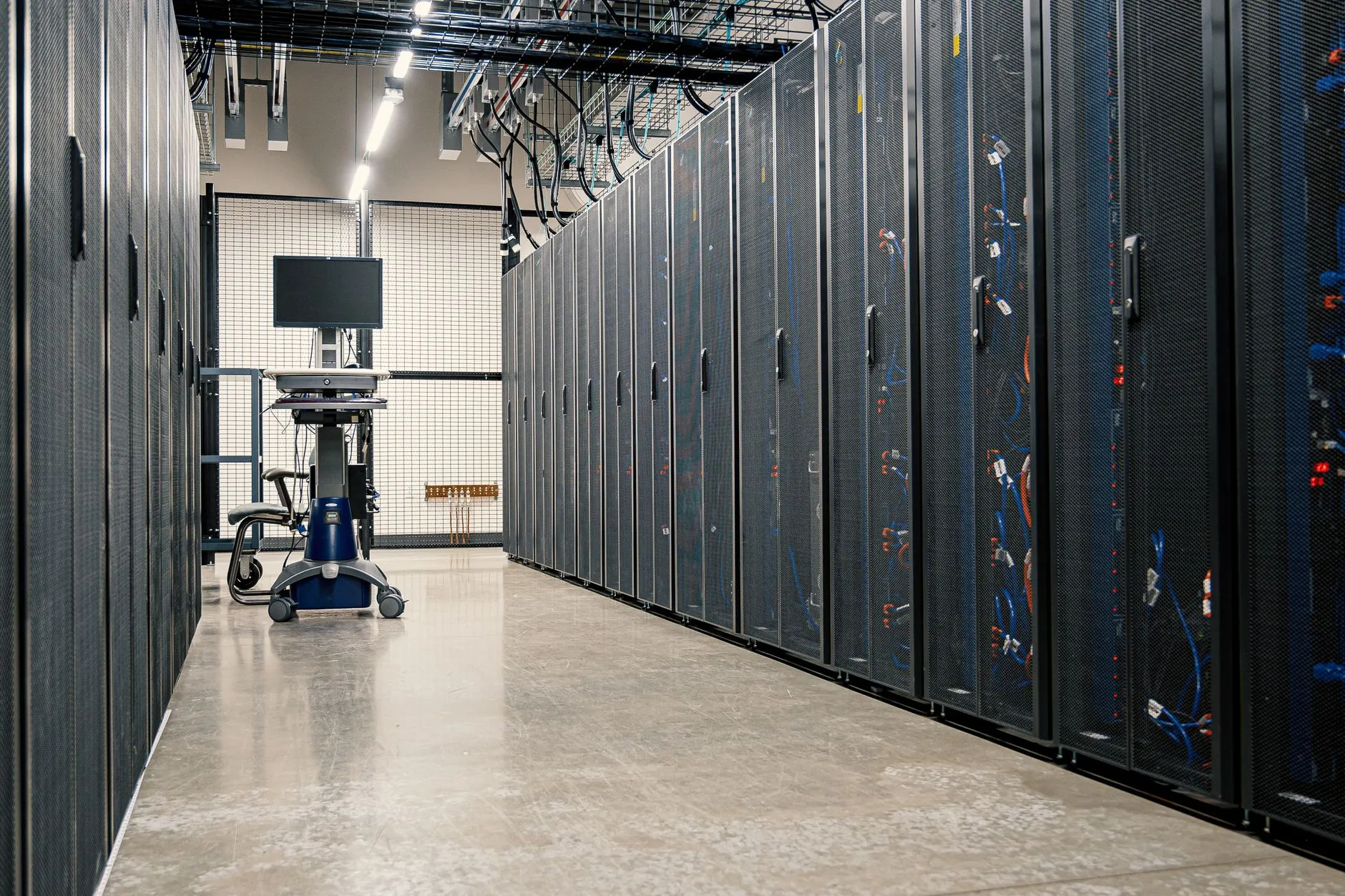
A group IT manager at a Hong Kong-headquartered manufacturer is staring at a lease end date. The company has run its ERP, file estate and a handful of line-of-business applications out of a landlord's building server room for years — the kind of room every commercial tower in Kowloon or the New Territories has somewhere near the loading dock, shared power, shared cooling, no real access control beyond a key. The lease on that floor is ending, and the landlord is not renewing the building-room arrangement. Twelve rack servers, a firewall pair, core and access switches, and a small SAN need to land somewhere else — a commercial facility, purpose-built, with real power redundancy and real physical security — before the old room goes dark.
Two 42U cabinets are already provisioned at the destination. Power is confirmed, cross-connects are ordered, the facility's own access rules have been read. What is missing is the part nobody puts in the contract: the actual choreography of moving twelve populated racks of production infrastructure from one building to another without losing a weekend to a bad power-on sequence, or worse, without losing data because someone unplugged the wrong storage controller in the dark.
This is an illustrative composite scenario built from the shape of real Hong Kong facility-to-facility moves, not a named client, and it deliberately names no Hong Kong facility operator as either origin or destination — the discipline described here applies whichever commercial facility you are moving into.
Where this sits next to what we have already published matters, so it is worth saying plainly. Our Hong Kong data centre relocation guide covers the full relocation project — deciding whether to move, choosing a destination, discovery, planning timelines, and planning-stage cost benchmarks. Read that first if you have not yet decided where you are going or how long the project should take. Our guide to colocation remote hands and cage operations in Hong Kong covers the opposite end: what happens on an ordinary Tuesday once your racks are already installed and running, and who owns the five jobs inside a cage day to day. This article is the piece between those two: the single physical event where the racks change buildings, and the commercial terms that make that event safe to run out of hours. If you are past the planning stage and the move itself is now the open question, this is written for you.
The survey that has to happen before anyone touches a rack
Every bad move night we have seen shares one root cause: the survey was treated as a formality instead of the actual engineering work. Before a single cable is pulled, three questions need honest answers for every device in both cabinets.
What is actually in the rack, not what the last asset register says is in the rack. A building server room that has been running for years accumulates devices nobody remembers installing — a switch someone added for a project that finished eighteen months ago, a small NAS a contractor left behind, a UPS that stopped holding charge and was quietly bypassed. The survey starts with physically walking the rack, not reading a spreadsheet.
What actually depends on what. This is the same discipline our relocation guide describes for full data-centre projects, and it does not get smaller just because the estate is twelve racks instead of thirty. A firewall pair with an undocumented failover relationship, a file server with a drive mapping baked into forty desktops, a switch carrying a VLAN nobody has diagrammed in three years — these are the dependencies that turn a clean move into a Monday-morning incident if they surface during the cutover instead of before it.
What is out of support, and what should not move at all. Ageing hardware that has been quietly running past its warranty and past any realistic repair timeline is a different problem from hardware that simply needs to be relocated. Moving a server that is already a single point of failure to a new building does not fix that server; it just changes its address. The survey is the moment to decide, honestly, whether a piece of equipment is worth the transport risk or whether this move is the natural point to retire it instead — our IT hardware maintenance team can usually tell you within a short assessment whether a given unit is still economically supportable, and Brocent's third-party maintenance coverage across HPE, Cisco, Dell/EMC, Fortinet, Juniper, NetApp, Aruba, Lenovo and other mainstream brands is a useful check against a vendor's own end-of-support notice before you decide.
The output of the survey is not a report that sits in a folder. It is the input to everything that follows — the labelling scheme, the cabinet elevation, the de-rack order and the power-on sequence all depend on the survey being accurate, not merely complete.
The labelling and mapping discipline that decides whether reassembly is boring
Here is the uncomfortable truth about a facility-to-facility move: the move itself — trucks, boxes, a weekend — is the easy part to picture and the hard part to get wrong is putting it all back together correctly, fast, in a building your team has never worked in before. The entire purpose of labelling and mapping discipline is to make reassembly boring. A boring reassembly is the win.
Every port gets a record before it gets unplugged, not after. Port-level cabling records — which port on which switch connects to which port on which server or storage controller, with cable type and length — are the single most valuable artefact of the whole project, and they are also the artefact teams most often try to shortcut under time pressure. Write them down as you survey, not as you disconnect.
Photograph before you disturb anything. A photograph of the front and rear of every populated rack unit, taken before de-racking begins, resolves more 2am arguments than any written record, because it shows exactly what was actually connected rather than what the diagram claims was connected.
Build a cabinet elevation for the destination before move night, not during it. Every device gets a planned rack-unit position in the new cabinets, decided in advance against the destination's own power and cooling layout — not "wherever there is space when the truck arrives." A destination elevation drawn up on a whiteboard the night before is not a plan; it is a guess with a diagram attached.
Label physically, not just on paper. Every device, every cable end, and every port gets a physical label that survives transport — printed, not handwritten, and attached in a way that a facility technician unfamiliar with your environment can still read it at 3am. If a label falls off in transit, the whole discipline collapses back into guesswork exactly when you can least afford it.
None of this is exotic engineering. It is closer to inventory discipline than IT architecture, and it is precisely the kind of unglamorous groundwork that our IT infrastructure deployment team builds its rack-and-stack project management around — receiving and unpacking, inventory checks, assembly and mounting, cabling, asset tagging and QA inspection are the same disciplines whether the equipment arrives from a factory or arrives from a building three kilometres away.
The physical night: de-rack order, packing, transport, and getting through two different buildings' rules
Move night itself has a shape, and the shape matters more than the speed. Rushing the physical handling to save an hour is the single most common way a twelve-rack move turns into a two-week hardware-replacement problem.
De-rack order follows dependency, in reverse of how the destination will power on. The devices with the fewest downstream dependents come out first; anything that other equipment depends on to boot or authenticate comes out last, immediately before transport, so it stays live for the rest of the estate for as long as possible. This is the same logic in reverse that governs the power-on sequence at the other end.
Packing and anti-static handling is not optional theatre. Rack-mount servers, storage arrays and switches are precision electronics that have spent years stationary; vibration and static discharge during a move are real failure mechanisms, not just insurance-form language. Anti-static bags, foam-cushioned transport cases rated for the equipment, and a vehicle with proper suspension and load securing are the baseline, not an upgrade.
Transport and insurance need to be arranged as a single decision, not two. A specialist IT mover carries transit insurance scoped specifically to electronic equipment — not general goods cover — and treats chain-of-custody as part of the transport itself: every asset tracked from the moment it is unracked at the source to the moment it is racked at the destination, with nothing unaccounted for in between.
Building access and lift bookings at both ends are frequently the actual constraint on your schedule, not the technical work. Hong Kong commercial buildings enforce their own after-hours loading and goods-lift rules, and those rules do not bend for your project timeline. The old building room's building management needs a booked window for equipment to leave; the destination facility has its own registration, loading-dock and lift procedures for anything arriving out of hours, and a first-time visitor without pre-registration can lose real time at a facility's security desk regardless of how well the technical plan is sequenced. Confirm both buildings' rules — and book both lifts — before you commit to a date, not after.
The destination's own rules govern what happens the moment the truck arrives, and they are not yours to set. A commercial facility has its own delivery procedures, its own escort requirements for anyone working inside, and often its own restrictions on what hours physical installation work can run. Building the runbook around the destination's actual rules, confirmed in writing in advance, avoids the worst version of this failure mode: a truck full of production servers sitting in a loading bay because nobody checked what time the facility's own after-hours access window closes.
Three ways to run a move like this
- Do it with your own IT team. Full context, no coordination overhead with an outside vendor — and realistic for a handful of servers moving across town. Below a certain scale it is a way of asking people who run your applications day to day to also be furniture movers for one weekend, with no practised runbook and no fallback if something goes wrong at 2am in a building they don't normally work in.
- Hire a generic office or equipment mover. Handles the truck, the boxes and the labour competently, and is often the cheapest line item on paper. What it does not bring is IT-specific packing discipline, port-level cabling records, or any judgement about de-rack order, dependency sequencing or a rollback point — a generic mover moves boxes; it does not understand what is inside them.
- Use a specialist IT relocation provider for the whole physical event. Brings the survey discipline, the labelling and cabinet-elevation planning, anti-static handling, IT-scoped transit insurance, and — critically — engineers who understand what they are re-cabling rather than following a generic checklist. This is what our IT relocation services team is built around: pre-move audit, decommission and packing, reinstallation and testing, and post-move support as one continuous engagement rather than three separately-coordinated vendors.
Re-rack, recable, power-on order — and why the order is a design decision, not a formality
Getting twelve racks of equipment back into cabinets is the visible part of reassembly. Getting the power-on sequence right is the part that actually determines whether Monday morning works.
Re-racking follows the cabinet elevation drawn up during the survey phase — every device to its planned rack-unit position, not wherever it happens to fit when it arrives. Recabling follows the port-level records taken before de-racking, matched against the photographs when anything is ambiguous. This is where the labelling discipline from the earlier phase either pays for itself completely or turns into a slow, error-prone guessing exercise with the clock running.
Power-on order is not a checklist item; it is a design decision that has to be made before move night, not improvised during it. Core network infrastructure comes up first — switches and firewalls need to be live before anything that depends on them for connectivity can even attempt to boot correctly. Authentication and directory services come next, because almost everything else needs to authenticate against something. Storage and database tiers follow, then application servers, then anything at the edge. Powering equipment on in whatever order it happens to be re-racked, or alphabetically, or by whoever finishes cabling first, is exactly how a technically successful physical move produces a broken Monday morning — every service comes up, and nothing actually works, because the things it depends on were not ready yet.
Each device that comes online gets a defined verification step before the next one starts — not a full application test, but confirmation that the device itself is healthy: powered, networked, and reachable on its management interface. Skipping verification to save time at 4am is how a single failed component gets discovered three steps later, after several other devices have already been powered on in a sequence that assumed it was working.
The rollback point: the last moment you can still put it back
Every well-run move night has a defined rollback point, and the uncomfortable discipline is deciding it in advance rather than discovering it under pressure. The rollback point is the last moment in the sequence at which the source environment can still be reconnected and brought back to a working state if something at the destination is not going to succeed in time.
For most facility-to-facility moves, the rollback point sits somewhere around the completion of de-racking and the start of transport — once equipment is physically on a truck, reconnecting it at the source building within the same window is rarely realistic, which is exactly why the survey, labelling and destination-readiness work has to be done properly before that point, not discovered to be incomplete after it.
What has to be true for a rollback to actually be exercisable, rather than theoretical, is specific: the source building room needs to still be accessible and its own power and cooling still live during the window when rollback might be triggered; someone needs explicit authority to call the decision without a lengthy escalation chain at 3am; and the original cabling — or at minimum the port-level records that describe it — needs to still exist so reconnection is not itself a second uncontrolled event. A rollback point nobody has the authority to actually invoke is not a safety net; it is a line in a document.
A rollback point that exists only on paper is not a rollback point. It has to be a real, exercisable decision with a named owner, or it is just a hope written down.
The commercials: what out-of-hours physical work actually costs to arrange
We are not going to publish a price for this move, because Hong Kong has no single figure that would be honest — cost depends on rack count, how much of the estate needs full re-cabling versus a straightforward reconnect, whether standby engineers are needed at both buildings simultaneously, and how much contingency the schedule actually needs. What is worth understanding are the commercial mechanics, because they explain why a weekend move costs more than a weekday one and where the money in the budget actually goes.
Out-of-hours and weekend engineering time is billed differently from a standard business-hours visit — typically at an after-hours multiple of the standard dispatch rate rather than the weekday figure, reflecting that a specialist engineer is committing an entire weekend rather than an hour between other jobs. Our published dispatch and on-site rate table shows the standard Hong Kong business-hours reference rate; ask a consultant for the after-hours structure that applies to a scoped move like this rather than assuming the weekday number scales directly.
Standby engineers are a real and frequently underestimated line item. A twelve-rack move across two buildings usually needs engineers present and working at both the source and the destination during the same window, not one team shuttling between them — which means the headcount for the night is higher than the headcount for the survey and planning phases.
Transport insurance scoped to electronic equipment, not general goods cover, is a small percentage of the total project cost and the single worst place to cut a corner. The chain-of-custody discipline described earlier only means something if there is insurance behind it that actually pays out for IT-specific damage.
Contingency is the line every project manager wants to shrink and the line that is, almost without exception, spent. A weekend physical move that runs into an unexpected building-access delay, a piece of equipment that does not come back to life cleanly, or a cabling discrepancy that needs tracing at 3am is not a sign of a poorly planned move — it is the normal texture of physical IT work, and a realistic budget assumes some of the contingency gets used rather than treating it as a number that pads the quote.
The day after: who you call now that it is not down the corridor
Move night ending cleanly is not the same as the project being finished. The first weeks after a facility-to-facility move are when small things surface — a cable that was recabled slightly wrong and only shows up under load, a monitoring gap because an agent was not reinstalled after the OS came back up, a firmware mismatch between a device and its new neighbours.
This is also the moment the operating model genuinely changes, and it is worth naming directly: when the server room was down the corridor, "who do we call" had an obvious answer — someone walked over. In a commercial facility, it does not, and the five jobs that the colocation piece linked above describes — hands, eyes, parts, paper and escalation — apply from the first night the racks are live, not months later once someone gets around to thinking about it. Facility remote hands can execute a described physical action quickly because a technician is already in the building, but it does not replace continuous monitoring that would catch a quietly degraded RAID array or a silently failed redundant power supply, and it does not carry the environment-specific judgement your own equipment needs.
Bridge: from one move to an ongoing plan
A move project has a start and an end. What runs the infrastructure for the years after it does not, and the two should not be confused with each other. Once the racks are live in their new home, the practical question shifts from "how do we move this safely" to "who is watching it, who holds the spares, and who gets the call at 3am" — which is the ground our managed IT support plans are built to cover, with monitoring, hardware lifecycle management and a defined escalation path that does not depend on any one person remembering what is in the rack. If you are weighing what that ongoing coverage costs against a one-off project spend, talk to us through our contact page for a scoped conversation about either the move itself or what comes after it.
Frequently asked questions
How long does a twelve-rack move take?
The physical event — de-rack, transport, re-rack, recable, power-on and verification — is typically a single weekend window for an estate this size, provided the survey, labelling and cabinet-elevation planning were completed properly beforehand. The planning that makes that weekend possible usually takes several weeks and should not be compressed to protect the move date.
Can it be done in one weekend?
For twelve racks with a completed survey and an agreed power-on sequence, yes, in most cases — but "one weekend" describes the physical work, not the whole project. Building access bookings, destination readiness and dependency mapping all need to be settled well before the weekend itself, or the weekend absorbs work that should have happened weeks earlier.
Do we need insurance?
Yes, and specifically transit insurance scoped to electronic equipment rather than general goods cover. It is a small fraction of total project cost and the one item that turns a damaged-in-transit server from a project disaster into a claims process.
What about the equipment that is out of support?
The survey is the point to decide this honestly. Moving unsupported or near-end-of-life hardware to a new building does not fix its underlying risk — it just changes its address and adds transport risk on top. A short assessment against current vendor support status, or against Brocent's own third-party hardware maintenance coverage described earlier, usually answers whether a unit is worth moving or worth retiring at this point instead.
Who talks to both facilities?
Someone has to own the relationship with both buildings' management — the source's after-hours access and loading-dock booking, and the destination's own delivery, escort and access rules — as a single coordinated conversation, not two separate ones running on different timelines. This is one of the roles a specialist relocation provider takes on directly rather than leaving with the client's own IT team.
What is a rollback point?
The last moment in the move sequence at which the source environment could still realistically be reconnected and restored if the destination is not going to be ready in time. It needs to be decided in advance, with a named person authorised to invoke it, and it needs the source building, its power, and the original cabling records to still be genuinely available during the window when it might apply — otherwise it is a line in a document rather than a real option.
Do you work nights and weekends?
Yes — a facility-to-facility move of this kind is built around out-of-hours and weekend engineering time by design, precisely to keep the disruption off the business's normal working hours. That time is billed differently from a standard business-hours visit, at the after-hours structure described above rather than the weekday rate.
What happens to the old cabinets?
Once the building room is empty, the old cabinets and any equipment that is not moving need a clear disposition decision — reused elsewhere, returned to the landlord, or retired. Any decommissioned hardware that is not travelling to the new facility should go through certified data destruction before it leaves the building, not after, so there is never a window where a drive with production data on it is unaccounted for.
Share:
Ready to take action?
Turn these insights into a roadmap for your business.
Book a 15-minute no-obligation consultation with our APAC IT experts. We'll review your current setup and provide a tailored IT roadmap within 24 hours.
Free Checklist
10 Critical Checks Before Expanding IT to Greater China
PIPL compliance, network segmentation, bilingual helpdesk setup, and more — everything your IT team needs before Day 1 in China.
Request the checklist →📬 Monthly Asia IT Insights
China compliance updates, cybersecurity alerts, and IT tips for APAC teams — once a month.
No spam. Unsubscribe anytime.