They Asked for an ECSE, Not a Survey: Why Certification and Tooling Decide a Wi-Fi Survey's Result
A guide for the office manager or IT lead at the Hong Kong office of an international law firm planning a Wi-Fi survey and access-point installation. Why two engineers can survey the same floor and reach opposite conclusions, what an Ekahau certification does and does not signify, what each survey instrument can and cannot see, the three questions a survey answers and the one it cannot, what you should receive at the end, the confidentiality layer specific to a professional-services floor, and who runs the access points once the survey is over.
Published
In short: two engineers can survey the same Hong Kong floor and hand back opposite recommendations. The difference is rarely the building. It is who held the meter, what the meter could actually see, and whether the walk captured spectrum as well as signal. Certification and tooling do not guarantee a good result — but they decide which results are even possible.
The enquiry that asked for a person, not a service
A Hong Kong office of an international law firm — one and a half floors in a Central or Admiralty tower, somewhere between 60 and 120 people — sends an enquiry. It does not ask for a Wi-Fi survey. It asks, by name, for an ECSE-certified engineer, using Ekahau AI Pro and a Sidekick, and it asks whether that engineer holds the advanced level of the certification.
That is an unusual enquiry, and a revealing one. Somebody on the other end has already been through a survey they did not trust, or has been told by a global IT function in London or New York exactly what to specify. Either way, the buyer has stopped shopping for a service and started shopping for a method.
They are right to. But the question they are asking — does the certification matter? — has a more useful answer than yes or no.
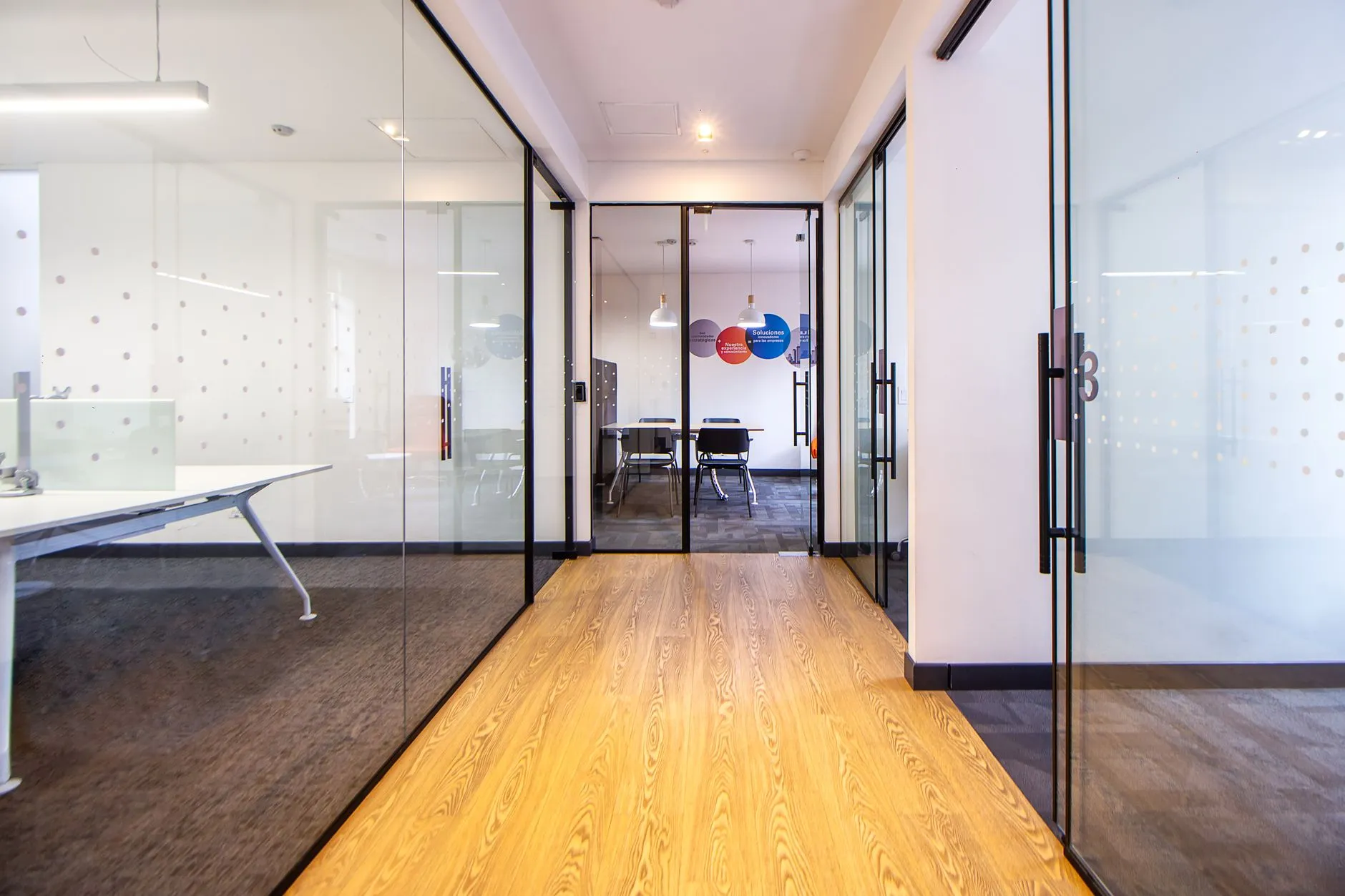
The floor in question is the reason. A law firm is not an open-plan technology office and it is not a warehouse. It is a dense grid of individual partner offices with solid walls and solid doors, a ring of glass-walled meeting rooms that reflect and refract in ways nobody models by eye, a library or file room with deep runs of solid shelving, a reception and lift lobby where the signal leaks into a shared landlord space, and — this is the part that keeps coming up — a working expectation that a stranger does not walk that floor unescorted with a recording device.
Somebody in the firm has been told the answer is "add more access points." Sometimes that is right. In our experience it is right about half the time, and the other half it makes the floor measurably worse, because more radios in the same air means more co-channel interference, not more coverage.
This article is about the part of the decision that is usually skipped: the engineer and the instrument. It is deliberately not a survey-type taxonomy — if you need the difference between a predictive, passive, active and AP-on-a-stick survey, our Wi-Fi site survey guide for Asia covers that properly and this piece will not repeat it.
A survey is a measurement, and a measurement has a method
The single most useful reframing for a buyer is this: a Wi-Fi site survey is not a quotation with a heat map attached. It is a measurement.
That matters because measurements have properties that quotations do not. A measurement has a method. It has instruments with known limits. It has assumptions that must be stated. It has thresholds that someone chose — and if nobody tells you what the thresholds were, the red-and-green picture you received is uninterpretable.
Consider the most common failure. Two vendors survey your floor. One hands back a heat map that is green nearly everywhere and says the network is fine. The other hands back a map with amber across half the partner offices and recommends six more access points. Both may be honest. They disagree because:
- They measured against different thresholds. A signal target that is perfectly reasonable for laptop data is not a reasonable target for a floor that also runs Wi-Fi calling and video-conference rooms, where a stronger signal and a healthy signal-to-noise ratio are the working expectation. Change the threshold and the same floor changes colour.
- They measured different bands. A 5 GHz-only walk on a floor whose older handsets still fall back to 2.4 GHz tells you nothing about why those handsets drop.
- One of them never measured interference at all. Signal strength and spectrum are different measurements taken by different instruments. A survey that captures only signal cannot see a non-Wi-Fi noise source that is actually causing the problem.
- One walked the corridor; the other walked the rooms. On a law-firm floor the corridor is the easy path and the partner offices are the whole point. A survey that never entered the rooms measured a building you do not work in.
None of those four differences is visible in the final PDF unless the engineer wrote them down. That is what "method" means here, and it is the real thing a certification is a proxy for.
What the certification actually signifies — and what it does not
The Ekahau certification track is vendor training. It is built around Ekahau's own design and measurement software, and it is generally delivered as a short course plus an examination. Brocent's wireless engineers hold Ekahau Certified Survey Engineer (ECSE) and Ekahau Certified Designer (ECD) qualifications, and separately hold AirMagnet certification — all three are listed on our wireless site survey service page, alongside the tooling those certifications attach to.
The track is usually sold as a set of levels rather than a single badge — typically a design-oriented course and one or more advanced or troubleshooting-oriented courses. If a particular level has been specified to you by a head office or an insurer, ask the provider which specific level the engineer attending your site holds, and ask to see the certificate with that engineer's name on it. That is a fair question and any serious provider will answer it in writing.
Here is the more important half of the answer, stated plainly.
What a certification does change:
- It signals a shared vocabulary for design targets. A trained engineer will ask what the floor has to support before they start walking — voice, video, laptop data, a handheld device, a specific conferencing platform — and will set primary and secondary signal thresholds accordingly, rather than defaulting to whatever the software shipped with.
- It signals calibration discipline. Floor plans have to be scaled correctly and wall materials attenuated correctly, or a predictive design is a drawing exercise. This is the single most common place an uncertified survey goes wrong, and it is invisible in the output.
- It signals validation as a habit. The design is a hypothesis. A trained engineer expects to re-measure after installation and treats a post-installation survey as part of the job, not as an upsell.
- It signals the engineer can read the raw capture, not just export the software's default report. That difference shows up the moment your floor has a problem the default report has no template for.
What a certification does not change:
- It is not a guarantee of experience on your building type. A very well-trained engineer who has only ever surveyed warehouses will underestimate what a run of solid partner-office walls does to a 5 GHz design. Ask what comparable floors they have measured.
- It is not a security clearance. Nothing in a wireless certification covers escorting, confidentiality or data handling on a legal floor. That has to be contracted separately — see the confidentiality section below.
- It does not make the tooling optional. Certification and instrumentation are a pair. A certified engineer with a laptop adapter and no spectrum capability still cannot see non-Wi-Fi interference.
- It does not settle the design on its own. Two well-trained engineers can still disagree about access-point count. What they should not disagree about is the measurement — if the raw data is shared, the disagreement becomes a discussion about thresholds, and that is a discussion you can actually join.
The tooling, and what each instrument can and cannot see
This is where buyers most often lose the thread, because four tool names get used interchangeably when they do four different jobs. From our published tooling list, read on 21 September 2026:
- Ekahau AI Pro — the planner and the analysis platform. This is where a predictive design is built against a scaled floor plan with modelled wall materials, and where captured survey data is visualised afterwards. It supports 2.4, 5 and 6 GHz and Wi-Fi 6/6E/7. On its own, in Planner mode, it is a model — a good one, but a model. It has not been in your building.
- Ekahau Sidekick 2 — the measurement hardware. This is the meter: purpose-built Wi-Fi measurement hardware for 2.4/5/6 GHz. Its practical significance for a law-firm floor is that a single site walk simultaneously captures passive survey, active survey and spectrum analysis data. That matters more on an occupied confidential floor than anywhere else, because it means one escorted walk instead of three. It is also materially more accurate than a laptop's built-in adapter, which was designed to connect to Wi-Fi, not to measure it.
- AirMagnet Survey PRO — a second, independent survey and analysis platform. Precise RF analysis, access-point discovery and security scanning, with professional-grade coverage heat map reports. Holding a second platform matters when a client's global standard specifies a particular report format, or when you want an independent instrument's view of a contested result.
- Chanalyzer / Wi-Spy Dbx — the spectrum analyser. This is the instrument that finds interference that is not Wi-Fi at all: microwave ovens, Bluetooth devices, wireless video transmitters, and assorted equipment nobody remembered was there. On an office floor the usual suspects are the pantry microwave, a wireless presentation dongle in a meeting room, and a neighbouring tenant's equipment bleeding through a shared wall. No amount of access-point tuning fixes a non-Wi-Fi noise source, and no signal-strength survey will ever see one.
- Tripod and field equipment. For an AP-on-a-stick survey, a specific access-point model is mounted at the correct installation height to simulate real coverage before anything is bought or drilled. Brocent supplies all survey tooling; clients do not invest in any of it.
The buyer-facing version of all this is a single question worth asking any provider: "Will the walk capture spectrum, and with what?" If the answer is vague, the survey you are buying can tell you where the signal is weak but not why.
The three questions a survey can answer — and the one it cannot
A survey is precise about a narrow set of things. Being clear about that boundary saves a lot of disappointment.
It can answer: what is actually happening on this floor right now. Coverage by band, signal-to-noise ratio, data rates, noise floor, channel utilisation and overlap, which access points are seen where, and what non-Wi-Fi energy is present. This is measurement, and it is not arguable.
It can answer: what would happen if we changed the design. Where access points should go, which model, at what mounting height and orientation, on which channels and at what transmit power, and whether directional antennas are warranted in a specific area. For a floor that has not been built yet, a predictive design does this against a scaled plan; for one that already exists, an AP-on-a-stick survey physically proves the placement at each planned location before bulk procurement.
It can answer: did the change work. A post-installation survey re-measures the same floor against the same thresholds. This is the step most often cut from a budget, and the only one that converts a design into evidence.
It cannot answer: whether the network will still be right in eighteen months. A survey is a photograph. Law-firm floors change — a practice group expands, a partner office becomes two, the file room is converted to hot-desking, a neighbouring tenant installs something noisy, the building refits the lift lobby. Any of those can invalidate a design that was correct on the day. Which is precisely why the interesting part of the conversation is not the survey, but what happens afterwards.
What you should receive, and what to ask for before the engineer arrives
A heat map is a picture of a conclusion. It is not the evidence. Insist on the following, and agree it in the scope before the walk rather than after:
- The raw capture. Our published options let a client take the Ekahau raw survey data on its own, at no additional reporting cost, and run their own analysis. Take it even if you never open it. It is the only thing that lets a second engineer — or your global IT function — check the work.
- The assumptions and thresholds, written down. Which signal-strength target, which signal-to-noise target, for which application, on which bands, with which client device type assumed. Without these the colours mean nothing.
- Per-band coverage maps, not a single blended picture. Our 24-page anonymised sample report — linked from the wireless site survey page — shows what this looks like in practice: per-floor maps for both 2.4 GHz and 5 GHz covering signal strength, signal-to-noise ratio, data rate, noise, channel interference and channel width, the access points detected, measured throughput, and each area measured against its own acceptance thresholds.
- The specific access-point model and mount points, not an access-point count. "Six more APs" is not a design. "This model, at these nine coordinates, at this height, on these channels, at this power" is.
- A validation plan. What will be re-measured after installation, against what, and when.
- An honest issue list — including the problems a new access point will not fix.
On effort, so the conversation is grounded rather than mysterious: our service page publishes reference scoping rather than hiding it. Read on 21 September 2026, a passive/active survey of roughly 5,000㎡ is scoped at about 1 man-day; an AP-on-a-stick survey of roughly 3,000㎡ at about 2 man-days; a predictive survey up to 10,000㎡ at about 1 man-day where no prior on-site visit is required. Reporting is scoped separately — raw data only carries no extra cost, the software's default report about 0.5 man-day, and a report manually produced to your own template a man-day or more. Treat all of that as scoping guidance, not a quote. A one-and-a-half-floor tower office with a high room count and an escort requirement is not the same shape as an open 5,000㎡ plate, and the real figure depends on floor count, structural complexity and what the report has to look like. Travel and equipment logistics — a Sidekick shipped between cities, for instance — sit outside the survey effort itself.
The confidentiality layer — the part specific to a professional-services floor
This is the section a generic survey article never contains, and for a law firm it is often the deciding factor.
What a Wi-Fi survey device actually records. A passive survey does not join your network at all. It listens to the radio environment: which access points and radios are broadcasting, on what channels, at what signal strength and noise level, and what other radio energy is present. It is measuring the air, not the traffic. An active survey does join a network in order to measure real throughput and latency, which means it needs credentials — and on a confidential floor the right answer is very often a dedicated test SSID or a guest VLAN created for the survey and removed afterwards, rather than a production credential.
What it does not record. It does not capture your screens, your documents, your matter files or your email. It is not a packet-capture exercise against client traffic, and it should not become one. If a provider proposes capturing and storing decrypted client traffic on a legal floor, that is a conversation for your risk and compliance function before it is a technical one.
Escorting and access. On this floor type, assume every walk is escorted, assume some partner offices will be unavailable on the day, and say so in advance — because a room the engineer could not enter is a hole in the measurement, and it is far better recorded as a stated gap than quietly interpolated. Out-of-hours and weekend walks are normal for exactly this reason, and they also produce a cleaner spectrum picture with fewer people and devices moving around. The trade-off is that an unoccupied floor is not a representative floor for capacity, so for a genuine density question part of the walk has to happen while people are working.
Where the data goes afterwards. Agree three things in writing: where the survey project files and raw captures are stored, how long they are retained, and who inside the provider can open them. A survey file contains your floor plan, your room labels and your wireless infrastructure layout. That is not sensitive in the way a client matter is sensitive, but it is a building-level map of your firm, and it deserves a retention answer rather than a shrug.
After the survey, somebody has to run the access points
Here is the part that gets designed out of the budget and then quietly becomes the actual problem.
A survey ends with access points in the right places. That is the beginning of the network's life, not the end. Channel plans drift as neighbouring tenants change their own. Firmware needs updating. A radio fails. A meeting room gets rebuilt. Guest access needs a policy. Somebody has to notice that the third-floor access point has been offline since Tuesday — and on most floors like this one, nobody does until a partner complains.
There are broadly three ways a firm this size handles it:
- Keep it in-house. Works if you have a genuine network engineer on staff and they have the time. On a 60–120-person legal floor, the "IT person" is usually an excellent generalist already running identity, endpoints, the document management system and the helpdesk — and wireless RF is not where their day should go.
- Call the installer back when it breaks. Cheap until it is not. The installer's engagement ended at handover; each callout is a new scope, a new quote and a new lead time, and nobody is watching the network in between.
- Put it under ongoing management. The access points are monitored, the controller is somebody's responsibility, firmware and channel plans are maintained, and changes are made against the design rather than against a memory of it. That is what our managed wireless network service is for, and it is the honest answer for most firms of this size.
And because wireless is rarely the only thing a floor like this needs, the practical framing is broader still. A law-firm office thinking about Wi-Fi properly is usually also thinking about endpoints, identity, backup, the document management system and who answers the phone at 8am. Our per-user managed IT support plans are the shape most firms of this size actually buy — one plan per person, with wireless management inside it rather than as a separate vendor relationship — and current per-market pricing sits on the pricing page. If the floor is new or being refitted rather than fixed, the build itself is separate work covered by our office IT setup service.
Brocent has run this kind of work from a Hong Kong office since 2016, as a company founded in Beijing in 2007 and headquartered in Singapore since 2021. Most enquiries that start "we need a survey" end up somewhere in that broader conversation, and the firms that get the most out of a survey are the ones that decide, before the engineer arrives, who is going to own the result.
Frequently asked questions
What is an ECSE, and does my provider need one?
ECSE stands for Ekahau Certified Survey Engineer — a vendor certification built around Ekahau's design and measurement platform. It is worth asking for, because it is a reasonable proxy for method: calibration discipline, threshold setting and validation habits. It is not a substitute for experience on your building type, and it is not a security clearance. Brocent's wireless engineers hold ECSE and Ekahau Certified Designer (ECD) qualifications, and also hold AirMagnet certification. If a specific level has been specified to you, ask which level the attending engineer holds and ask to see the certificate in their name.
Does the tool brand actually matter?
Less than the capability behind it. What matters is whether the walk captures signal, throughput and spectrum, and whether you get the raw data back. In practice that combination points at purpose-built measurement hardware rather than a laptop's built-in wireless adapter, because a laptop adapter is engineered to connect to a network, not to measure one. We use Ekahau AI Pro with Sidekick 2, AirMagnet Survey PRO, and Chanalyzer / Wi-Spy Dbx for spectrum — the last of those is the one buyers most often leave out and most often need.
Can you survey outside office hours?
Yes, and on a confidential floor it is often the better choice — fewer escorting constraints and a cleaner spectrum picture. The trade-off is that an empty floor is not representative of a busy one, so if your real question is capacity rather than coverage, part of the walk should happen during working hours. Most law-firm surveys end up as a mix of both.
Will the engineer be able to see what is on our screens or in our files?
No. A passive survey does not connect to your network at all — it measures radio energy, access-point presence, signal and noise. An active survey connects in order to measure throughput and latency, and on a confidential floor that should be done with a dedicated test SSID or guest VLAN created for the survey and removed afterwards, not with a production credential. A survey is not a packet capture of your traffic and should not be scoped as one.
What do we actually receive at the end?
Agree this before the walk. At minimum: per-band coverage maps with the thresholds stated, the raw capture data, a written statement of assumptions, an issue list with remediation recommendations, and — where a design is in scope — the specific access-point model, count, placement, mounting height, channel plan and power settings, plus a validation plan for after installation. Raw data on its own carries no additional reporting cost with us; formatted and custom reports are scoped separately.
Do we have to buy the access points from you?
No. For an AP-on-a-stick survey the model is normally specified by the client according to their own corporate IT standard, and where we procure hardware the asset belongs to the client. Worth planning for: specific access-point models can carry a procurement lead time of anywhere from four to sixteen weeks, which is usually the longest pole in the schedule and the reason surveys should start earlier than people expect.
Is a predictive design enough on its own?
For a floor that does not physically exist yet — a fit-out, a new tenancy — a predictive design is the fastest route to a validated plan, and a predictive survey up to 10,000㎡ can be scoped at around a man-day where no prior site visit is needed. But it is a model of a building, and a model is only as good as the floor-plan scale and wall materials it was given. For an existing floor, and especially a law-firm floor with heavy internal construction and glass, a predictive design should be treated as the hypothesis and confirmed by measurement — either AP-on-a-stick before procurement, or a post-installation survey afterwards.
How often should we re-survey?
There is no universal interval, and anyone quoting one is guessing. Re-survey on events rather than on a calendar: a floor layout change, a practice-group move, a density increase, a new access-point generation, a new neighbouring tenant, or an unexplained run of complaints that configuration changes have not fixed. If the network is under ongoing management, most of these surface as monitoring signals before they surface as a complaint — which is the main practical argument for managing it rather than surveying it repeatedly.
One access point is fine and another is terrible, on the same floor. Why?
Usually one of three things, and a survey distinguishes between them where guesswork cannot. Either the two radios are in genuinely different RF environments — solid walls, a run of shelving, a glass partition reflecting differently than expected — or they are interfering with each other because they sit on overlapping channels at too high a transmit power, or one of them is near a non-Wi-Fi noise source that no signal-strength measurement will ever reveal. In one of our own documented cases, a dead zone in a manager's office was resolved not by adding six access points but by adding exactly one and re-tuning the channel and bandwidth settings of the neighbouring radios to remove co-channel interference. The measurement is what made the cheap answer findable.
Share:
Ready to take action?
Turn these insights into a roadmap for your business.
Book a 15-minute no-obligation consultation with our APAC IT experts. We'll review your current setup and provide a tailored IT roadmap within 24 hours.
Related services
Free Checklist
10 Critical Checks Before Expanding IT to Greater China
PIPL compliance, network segmentation, bilingual helpdesk setup, and more — everything your IT team needs before Day 1 in China.
Request the checklist →📬 Monthly Asia IT Insights
China compliance updates, cybersecurity alerts, and IT tips for APAC teams — once a month.
No spam. Unsubscribe anytime.
Related Articles

Sep 18, 2026
They Bought the Access Points First: A Singapore Warehouse and the Survey That Should Have Come Before

Sep 04, 2026
Guests Complained About Wi-Fi, Not Rooms: Managed Wireless at a Hong Kong Serviced Office Operator

Jul 20, 2026
Wireless Site Survey Services: Passive vs Active vs Predictive (2026)