How to Use Gemini and Google Calendar to Schedule Across HK, China, and Singapore Time Zones
A practical guide to cross-timezone meeting scheduling for multi-office APAC teams — what Gemini genuinely does inside Google Calendar, the holiday and make-up-workday traps it cannot see, and the calendar permissions work that has to come first.
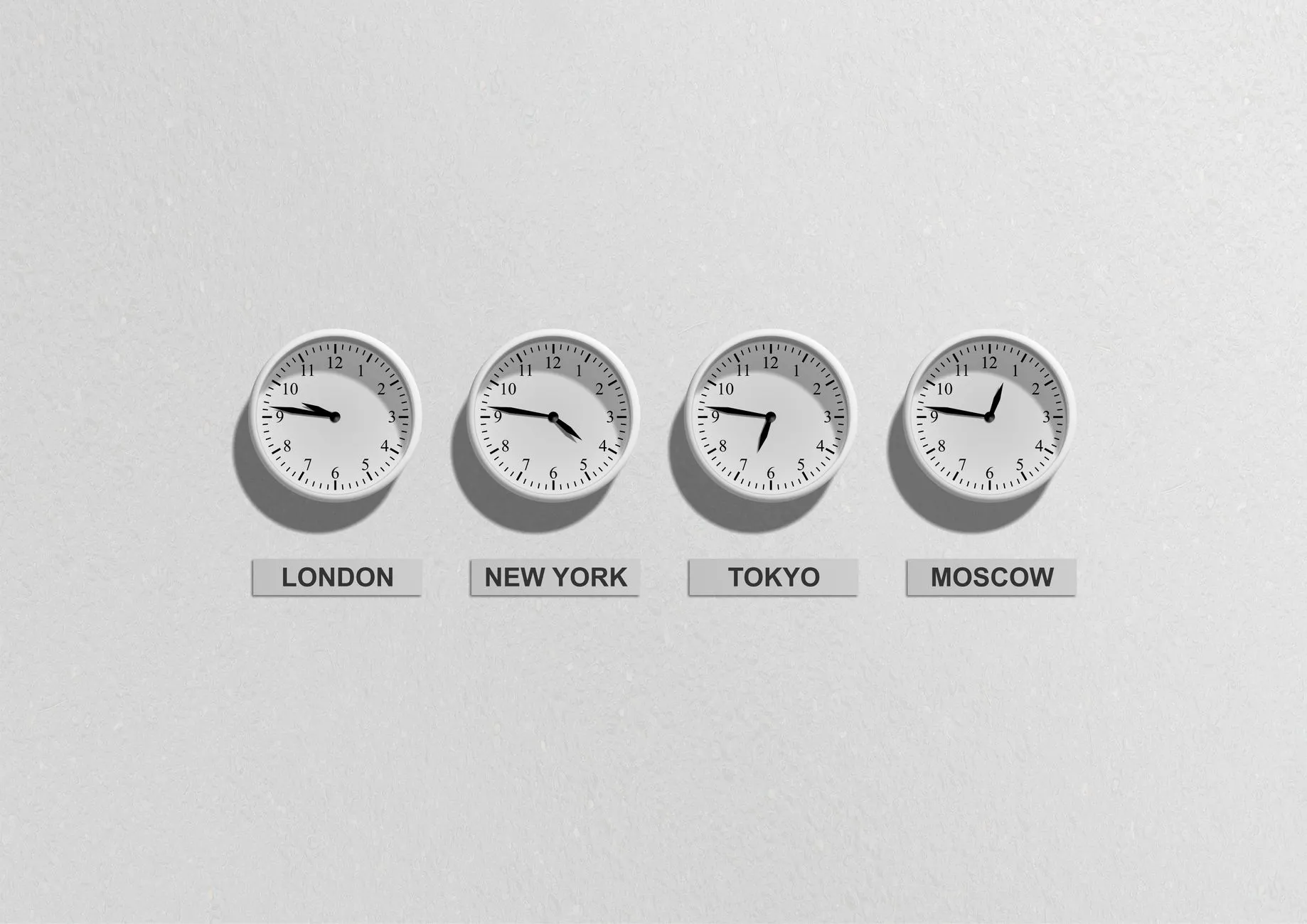
The short answer: Hong Kong, mainland China and Singapore all run on UTC+8, so scheduling across those three offices almost never breaks on the clock — it breaks on public holidays that differ by market, China's make-up working weekends, and the fourth office in Tokyo, Mumbai or London. Gemini in Google Calendar can book meetings from plain language, but its accuracy depends entirely on the calendar hygiene underneath it.
Every regional operations manager has run the same loop: propose a slot, one office says it is a public holiday, propose another, someone in Tokyo points out it is 7pm there, and the exchange has now cost more time than the meeting will. Gemini inside Google Workspace promises to end that loop with one sentence of plain English. It partly does — but not for the reason most articles assume, and not before someone fixes the calendar data it reads.
Why Cross-Timezone Scheduling Breaks Down in Multi-Office APAC Teams
Start with the fact that undoes most of the premise: Hong Kong, mainland China and Singapore are all UTC+8, all year, with no daylight saving anywhere among them. Taiwan and Malaysia are too. If those are your offices, you do not have a time-zone problem at all — 10am is 10am in every one of them. Teams routinely install scheduling tooling to solve a problem they do not have, then wonder why the pain persists.
The pain persists because it was never the clock. It is four other things.
Public holidays diverge sharply. Hong Kong observes Ching Ming, Buddha's Birthday, the day after Mid-Autumn Festival and Chung Yeung; Singapore observes Hari Raya Puasa, Deepavali, Vesak Day and National Day on 9 August; mainland China closes for Golden Week around 1 October and for Spring Festival. Three offices on the same time zone can still have almost no overlapping holiday calendar.
Mainland China moves working days onto weekends. The 调休 (make-up workday) system shifts the working week around long holidays, so a Saturday or Sunday can be a normal working day in Shanghai while Hong Kong and Singapore are closed — and the adjacent Friday is not. Very few calendar tools model this at all, and neither the standard holiday calendars nor an AI assistant reading them will warn you.
The fourth office is where the clock finally matters. Tokyo is UTC+9, Mumbai UTC+5:30, Jakarta and Bangkok UTC+7, Sydney UTC+10 or +11 by season, London and New York moving twice a year. A Hong Kong–Singapore–Shanghai meeting is trivial to schedule; add Tokyo and you lose an hour of overlap; add London and you are choosing whose evening to spend.
Free/busy visibility is inconsistent. Any tool — AI or otherwise — that proposes a slot is reading calendar availability. If half the organisation shares only "free/busy", the other half shares nothing, and contractors sit on a separate tenant, the suggestions will be confidently wrong. That is an administrative problem, not a model problem, and it is the one worth fixing first.
What Gemini Can Actually Do Inside Google Calendar
Gemini for Google Workspace appears as a side panel across Workspace apps, including Calendar, on eligible editions. In Calendar its useful capabilities are narrow and real: it answers questions about your own schedule in natural language, and it drafts and creates events from a sentence — attendees, duration, title and description filled in without opening the full event form.
Two boundaries matter more than the feature list. First, Gemini operates inside your existing permissions — it sees what your account already sees, and calendar sharing settings still govern everything. It is not a back door into a colleague's private events. Second, feature availability varies by Workspace edition and changes regularly; confirm any specific capability claim, including the ones here, against current Google documentation before designing a process around it.
Natural-Language Scheduling vs the Built-In "Find a Time" Feature
Google Calendar has had non-AI scheduling help for years, and it still does most of the work. "Find a time" and suggested times read the free/busy data of everyone on the invite and surface slots that fit. Working hours let each person declare their real availability window, which is what stops a Singapore-side suggestion landing at 8pm in Tokyo. Appointment schedules hand external parties a bookable link. None of this needs Gemini.
What Gemini adds is the interface, not the intelligence. Typing "set up a 45-minute review with the Shanghai and Singapore leads next Wednesday afternoon" beats six clicks, and it composes the invite text. What it does not add is a better model of who is genuinely free — that still comes from free/busy data and working hours. The practical implication: if working hours and calendar sharing are not configured properly, Gemini will produce polished invitations for bad slots faster than you could produce them manually. The assistant is a speed multiplier on whatever is underneath it.
Handling Public Holidays That Differ by Market
This is where APAC teams get burned, and it is fixable with configuration rather than AI. Google Calendar publishes regional holiday calendars — subscribe every user to the one for the market they sit in, so a Hong Kong colleague's 1 October shows as busy to anyone checking. Better still, maintain a single shared "APAC office closures" calendar owned by IT or HR, covering every market you operate in, with read access for the whole region. That one artefact removes most holiday collisions before any tool is involved.
The 调休 make-up workdays remain a manual job. China's State Council publishes the arrangement annually, typically late in the preceding year, and someone has to enter the resulting working weekends and shifted closures into that shared calendar. It takes an hour a year and prevents the specific embarrassment of booking a Shanghai team on their only free Sunday. Do not expect Gemini, or any assistant, to know this — it reads the same holiday calendars you do, and those generally do not encode make-up workdays.
Setting Up a Cross-Timezone Scheduling Workflow, Step by Step
Get the substrate right before the assistant. Have every user set their time zone and working hours, and turn on the secondary time zone display for anyone who books across borders — seeing Tokyo time in the left gutter prevents more errors than any AI suggestion corrects. Set an organisation-wide sharing default that at minimum exposes free/busy internally; without it, availability suggestions are guesswork.
Publish the holiday reality. Subscribe each office to its own regional holiday calendar, then create the shared closures calendar described above and put the make-up workdays in it. Name it something obvious and make it visible by default, or it will be found by half the company and quietly missed by the rest.
Agree the meeting windows before automating them. Most APAC organisations converge on a narrow band — roughly 09:00 to 11:00 UTC+8 works for Tokyo and India, while late afternoon UTC+8 is the only civil overlap with Europe. Write these down as a norm. A stated "regional calls happen at 10am Hong Kong time" beats any optimisation, because it stops the negotiation happening at all.
Then add Gemini for the composition work. Ask it to draft the invite, summarise what the meeting needs to cover, or find your own free slots in a week you cannot mentally parse. Let Calendar's "find a time" adjudicate availability, and keep a human eye on the proposed slot against the closures calendar.
Review the first month. Look at what got rescheduled and why. Holidays mean your closures calendar is incomplete; wrong hours mean working-hours settings are not filled in; wrong people mean your invite templates are the problem, not the tooling.
Gemini-Assisted Scheduling vs Manual Time-Zone Juggling
- Speed to a booked meeting — Gemini turns a sentence into a drafted invite in seconds, where the manual route is a mental time-zone conversion plus a form. For a manager booking several cross-office calls a day, this is the clearest win and roughly the only one that shows up daily.
- Accuracy of the proposed slot — Identical, because both read the same free/busy and working-hours data. An assistant does not know something your calendar does not. Teams expecting better slots from AI are usually describing a data problem.
- Holiday awareness — Both are only as good as the subscribed holiday calendars, and neither handles China's make-up workdays without a human maintaining a shared closures calendar. This is the most common cause of a rescheduled APAC meeting and it is not AI-solvable.
- Handling of external guests — Manual coordination and appointment-schedule links both work with people outside your tenant, whose availability you cannot see. Gemini can draft the invitation but has no more visibility into a client's calendar than you do.
- Governance and audit — Manual scheduling leaves no new data trail. An AI assistant adds a processing surface over calendar contents — business-sensitive data — and puts your Workspace edition's data-protection terms squarely in scope. That is the cost side of the ledger.
- Cost — The Calendar features doing the real work are already in your Workspace subscription. Gemini capability depends on edition and licensing, so the honest comparison is "faster composition" against a per-seat cost, not "scheduling" against "no scheduling".
Where It Still Gets It Wrong
Daylight saving edges. None of Hong Kong, China, Singapore, Japan or Taiwan observe DST, so the recurring 4pm call with London or Sydney silently moves twice a year while your side stays put. Check the March and October–November transitions explicitly rather than assuming a recurring series survives them.
"Polite hours" versus working hours. Working-hours settings say a slot is technically available; they do not say that 8:30am Monday in Mumbai is a reasonable ask, or that Friday 6pm in Singapore will be attended in body only. Any assistant optimising for availability will find these slots. A human norm has to rule them out.
Meeting-title assumptions. Generated invite text is drawn from your prompt and context, and it lands in the calendars of everyone invited — including, on a shared or delegated calendar, people who were not. Read the drafted title before sending. "Interview — [candidate name]" and "Project [client codename] pricing" are the two that cause real problems.
Recurring series and exceptions. Assistants create events far better than they surgically amend the fourteenth instance of a series. Anything with exceptions, edit directly.
Getting This Right: Calendar Permissions, Data Governance, and When to Bring in IT
Calendar contents are business data. Event titles routinely carry candidate names, client names, deal codenames, termination meetings and board matters. Before adding any AI layer, audit what your default sharing setting exposes — many organisations find theirs is "see all event details" internally rather than free/busy, which was fine when nobody queried it in natural language.
Delegation is the sharpest edge. Executive assistants with full delegate access, shared team calendars, and room-resource calendars showing full event details on a lobby panel are all normal — and all worth re-checking once an assistant makes calendar contents easy to surface and summarise.
Know which terms apply. Gemini in Google Workspace is governed by your Workspace agreement rather than consumer AI terms, and Google publishes specific commitments about how Workspace data is handled. Confirm in writing what your edition covers before the tool touches calendars holding regulated or client-confidential information — and confirm it covers every market you operate in, since a mainland China entity's data-handling questions are not Singapore's.
This is squarely where a managed IT partner earns its place. Brocent's APAC IT support solutions exist because coverage windows genuinely need aligning to HKT, CST, JST and SGT rather than a generic UTC offset — the same per-market thinking this article applies to a calendar, applied to your whole support model. Our AI+ support practice handles readiness assessment, licensing and integration work when scheduling automation reaches beyond Workspace, and managed IT support covers the unglamorous part that decides the outcome: sharing defaults, delegate reviews, holiday-calendar maintenance and the change management to make it stick. If meeting notes are next, our guide to Gemini for Google Workspace meeting notes picks up where this one stops. Brocent has run managed IT across Asia since our founding in Beijing in 2007, with headquarters in Singapore and a Hong Kong office since 2016.
Frequently Asked Questions
Does Gemini see the contents of our calendar invites?
It processes the calendar data your account can already access in order to answer your questions — it does not grant access to anything your permissions do not already allow. The governance question is therefore about your sharing settings and your Workspace agreement's data-handling terms, not about the assistant bypassing controls. Audit the former and confirm the latter in writing before rollout.
How do we stop it booking over someone's local public holiday?
Subscribe every user to the regional holiday calendar for their market, and maintain a shared APAC closures calendar covering all your offices. The assistant reads availability data; it cannot infer a holiday nobody recorded. For mainland China, add the annual make-up workdays manually — they are published by the State Council each year and are not in standard holiday calendars.
Can it schedule meetings with external clients?
It can draft and send the invitation, but it cannot see a client's availability any more than you can. For external booking, an appointment schedule link is the better mechanism: the client picks from slots you have defined, and nothing about your internal calendar is exposed.
What happens when one office is on a different DST rule?
Hong Kong, China, Singapore, Japan and Taiwan do not observe daylight saving, so recurring meetings with Europe, North America or Australia shift twice a year relative to your fixed local time. Check recurring series explicitly around the March and October–November transitions rather than trusting the series to hold.
Do we need Gemini at all if Calendar already has "find a time"?
For availability, no — "find a time", working hours and secondary time zone display do the substantive work and are already in your subscription. Gemini's value is composition speed. That is a real saving for people who book many cross-office meetings, and close to nothing for people who book two a week.
What is the single biggest fix for APAC scheduling pain?
A maintained shared closures calendar covering every market, plus enforced working-hours settings. These two remove more rescheduling than any tool. Do them first — once the noise is gone, you can actually tell whether the assistant is adding anything.
Where to Start
Audit calendar sharing defaults and delegate access this week — that finding tends to surprise people, and it is worth knowing whether or not you deploy anything. Then build the shared closures calendar, enforce working hours, and only then evaluate whether Gemini's composition speed justifies the licence at your team's real booking volume. If your offices span several APAC markets and the underlying support model is as fragmented as the calendars, get in touch — that is the conversation we have most often.
Share:
Ready to take action?
Turn these insights into a roadmap for your business.
Book a 15-minute no-obligation consultation with our APAC IT experts. We'll review your current setup and provide a tailored IT roadmap within 24 hours.
Free Checklist
10 Critical Checks Before Expanding IT to Greater China
PIPL compliance, network segmentation, bilingual helpdesk setup, and more — everything your IT team needs before Day 1 in China.
Request the checklist →📬 Monthly Asia IT Insights
China compliance updates, cybersecurity alerts, and IT tips for APAC teams — once a month.
No spam. Unsubscribe anytime.
Related Articles

Aug 03, 2026
Gemini for Google Workspace: Automating Meeting Notes and Email Summaries

Aug 04, 2026
How to Automate Monthly Sales Report Generation with Gemini and Google Sheets
Jul 06, 2026
Cross-Border IT Support in Asia: How to Choose One Regional IT Support Partner (2026 Guide)