BCS Platform · Warehouse & Stock Management
A full walkthrough of the BCS warehouse management system
A function-by-function map of the warehouse management system (WMS) running inside the Brocent platform today — from dock-side receiving through storage, movement, and stocktakes, out to the supplier and customer portals, and closing with what it takes to connect your own systems.
TL;DR: BCS Warehouse & Stock Manager is the warehouse management system built into the Brocent platform — the operational tool layer of Brocent's Warehouse as a Service, not sold standalone. This page walks through all seven functional zones with live screenshots: command center dashboards and reports, receiving, multi-tenant storage, outbound and transfer workflows, stocktake controls, external supplier and customer portals, and a consistent API surface ready for integration.
7
Warehouse zones covered
116
Virtual warehouses in production
2
External portals live today
1
Consistent API shape across modules
BCS is the system. Warehouse as a Service is the physical facility it runs.
BCS Warehouse & Stock Manager is not sold or licensed as standalone software. It is the operational tool layer of Brocent's warehousing service: when Brocent operates warehousing for you under Warehouse as a Service, the WMS — including its supplier and customer portals — is included as part of that service.
The big picture
How goods flow through BCS
Before zooming into each zone, here is the whole journey at a glance — from a customer shipment arriving at the dock, through stocktakes and inter-warehouse transfers, out to the courier hand-off and last-mile delivery, with live carrier tracking feeding back into the WMS.
Zone directory
All screenshots on this page are captured live from the running BCS platform, using demonstration and redacted data.
ZoneA
Command Center
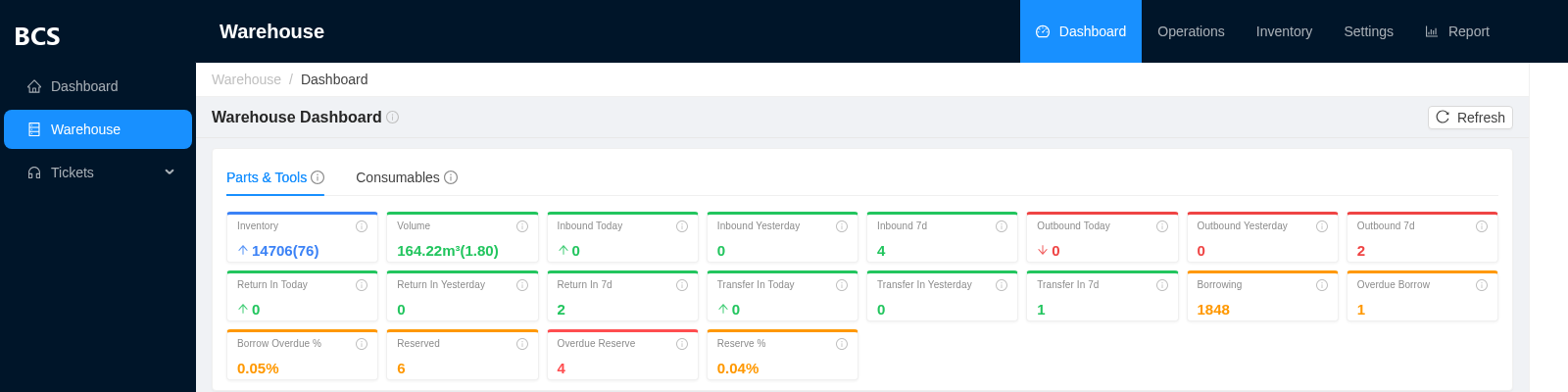
The first thing any staff member sees: live visibility across every warehouse before drilling into a specific task.
Operations Dashboard
InternalReal-time volume and capacity utilization per warehouse (actual occupancy vs. allocated space), a to-do queue of pending work, and warning banners for anything that needs attention.
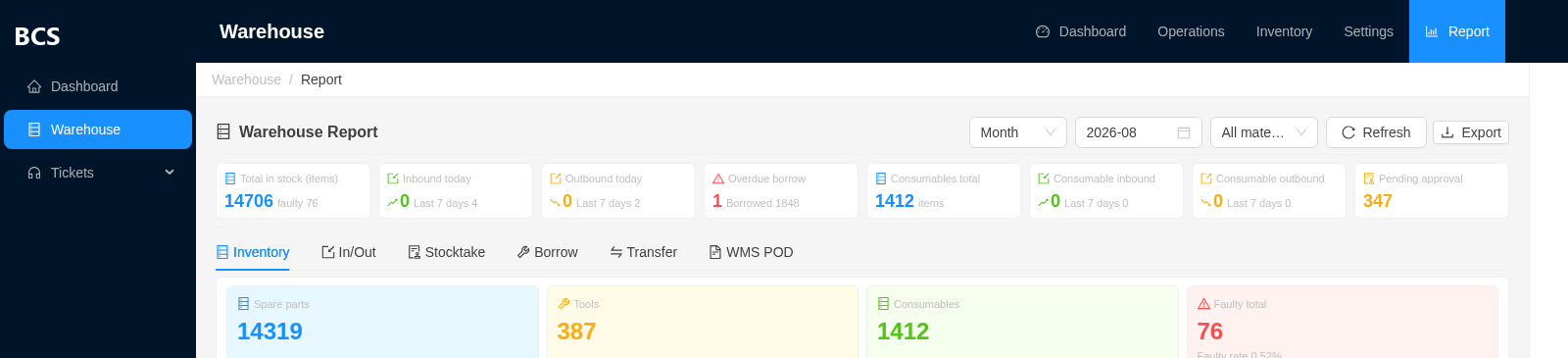
Operational Reports
InternalSix report views in one workbench, each with its own charts and an exportable detail table:
- · Inventory — stock distribution by material type, with a faulty-item rate
- · In / Out — inbound vs. outbound trend line plus a type breakdown
- · Stocktake — count status distribution across warehouses
- · Borrow — active loans with overdue-day tracking
- · Transfer — inter-warehouse movement by type
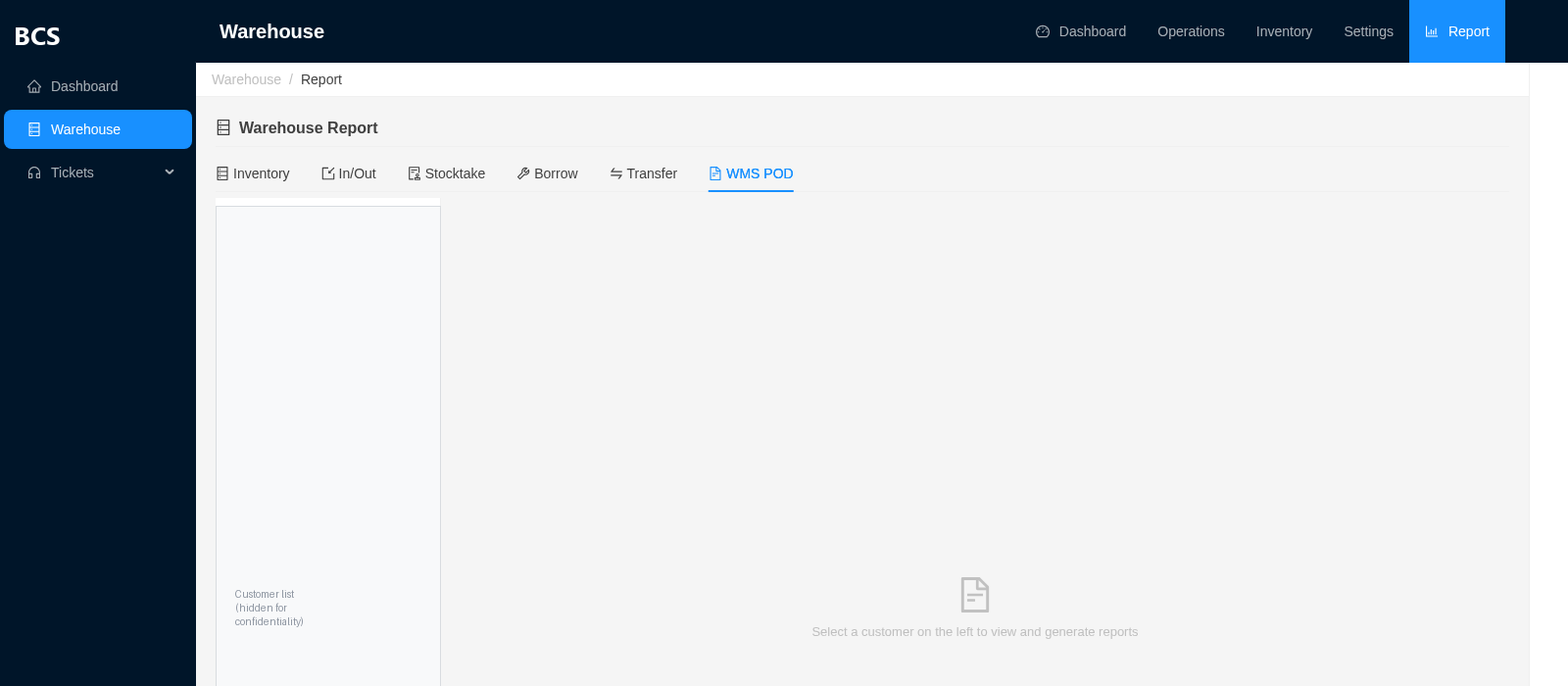
Contract & Occupation Reports
InternalA second, contract-aware reporting layer built specifically for customer and supplier reconciliation — every report is scoped to a period, a contract, and a customer:
- · Stocktake / Inbound / Outbound / Settlement reports — generated per contract per month, one click to Excel
- · Occupation audit — actual measured space used (length × width × height → m³) checked against what the contract allocates, with photo evidence and a draft → submitted → approved sign-off, exportable to PDF
Linked records
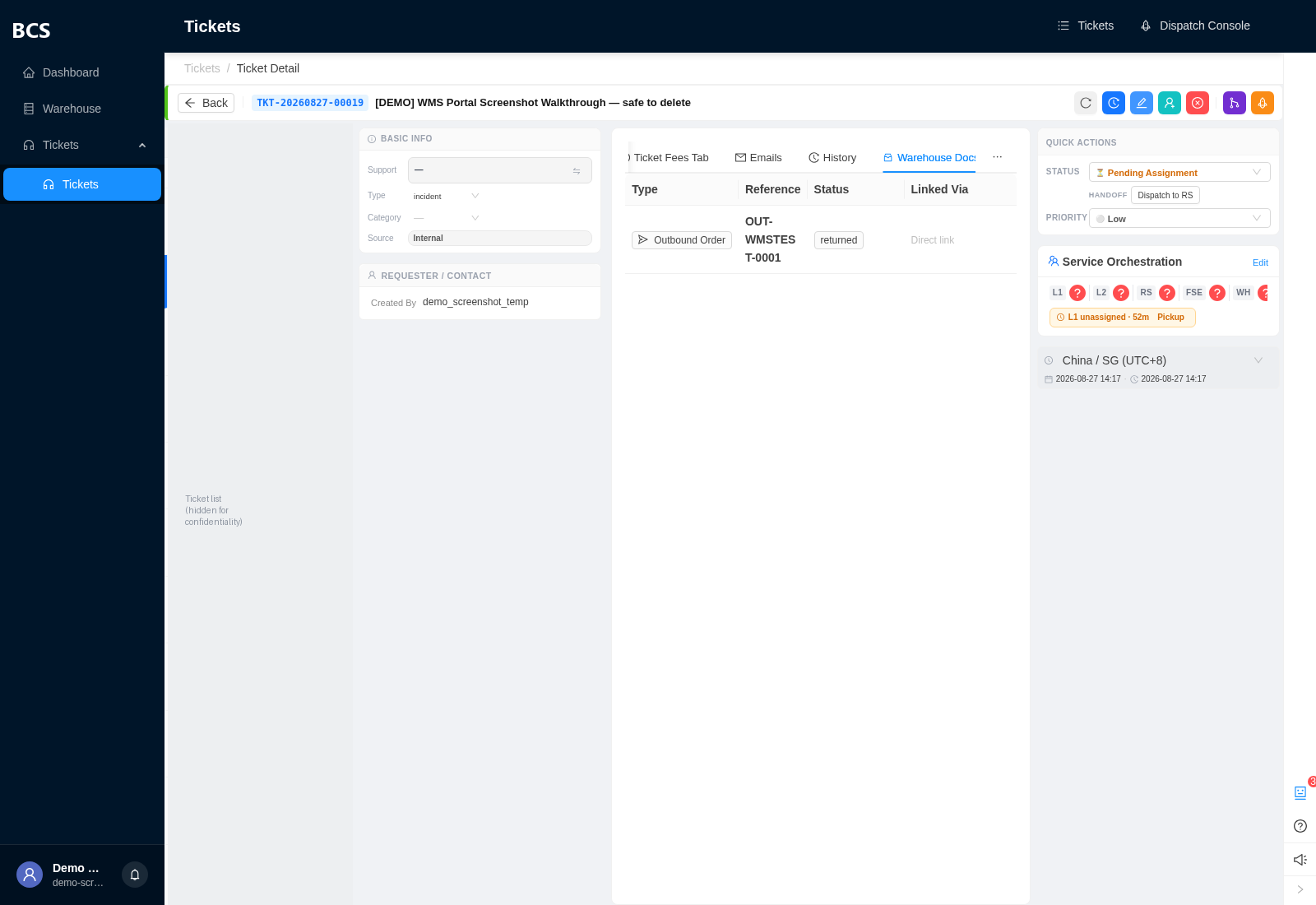
Ticket ↔ warehouse integration, live today
An operator attaches the relevant support ticket right from the Outbound or Inbound Verification page — search by ticket, confirm, done. It then shows up as its own read-only tab on that ticket's detail page, so a support agent always sees exactly which shipment or verification the case is about. Suppliers get the same attach-a-ticket action in their own portal, scoped to their own tickets only.
Live from the system
ZoneB
Receiving
Everything that happens between a shipment arriving at the dock and stock being trusted on the shelf.
Inbound Orders
InternalIntake records that anchor a delivery to its warehouse and expected line items — the starting point of the receiving flow.
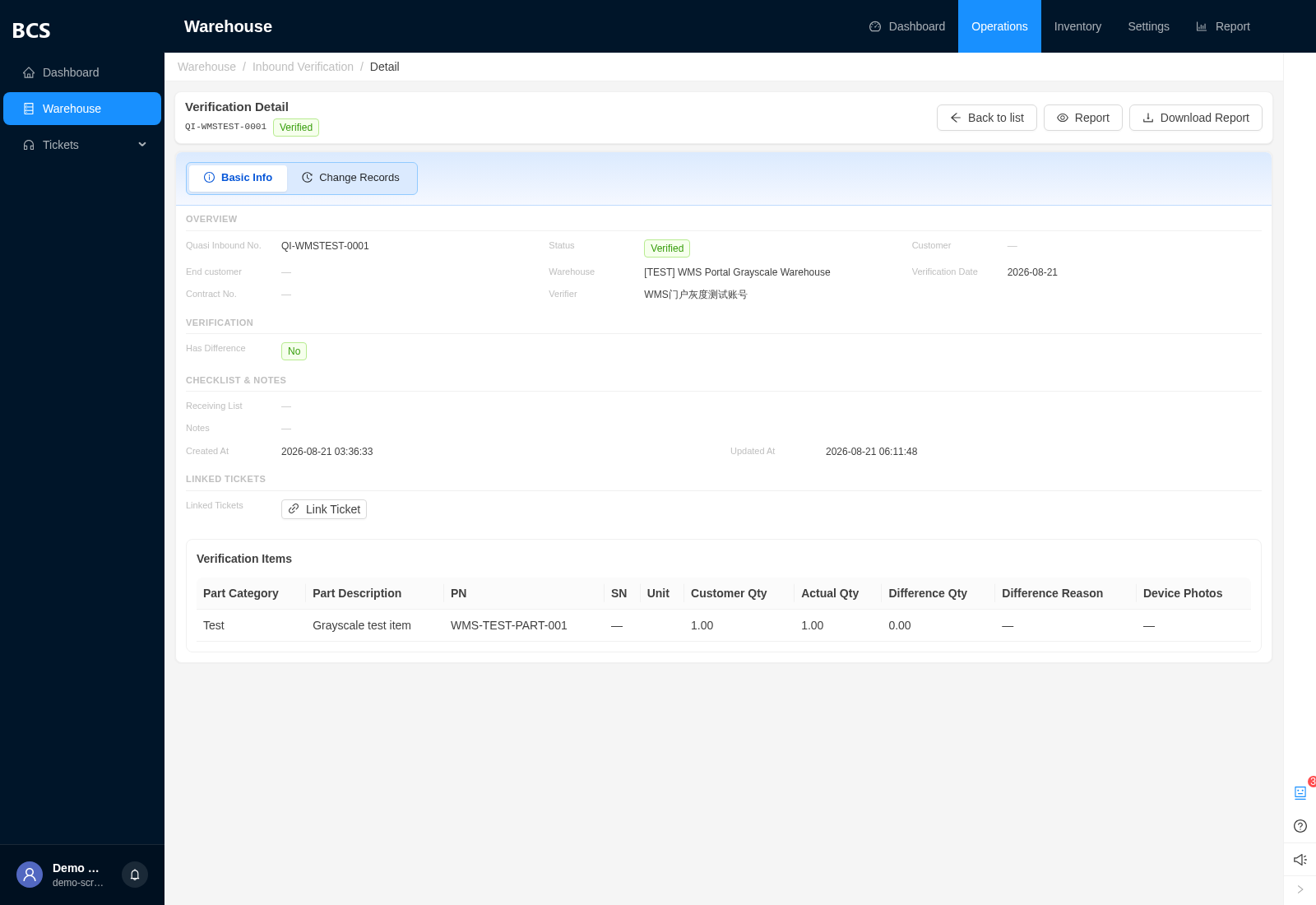
Inbound Verification
Also in supplier portalDock-side acceptance: start → verify counts against expected → complete. Mismatches are flagged as a variance rather than silently accepted, with photo evidence attached and a downloadable summary PDF — available to suppliers too, not just internal staff.
Receiving List
Portal: view only todayA serial/part-number-level ledger of what actually came in — batch import, SN/PN validation, automatic code generation, and a capacity check before anything is shelved.
Live from the system
ZoneC
Storage
How stock is organized once it's in the building — and the multi-tenant model that keeps different customers' goods cleanly separated in one physical warehouse.
Shelf Management
InternalPhysical location and slot tracking inside each site, so every part has a findable home.
Inventory
Also in supplier portalLive stock by part or serial number, sliced by warehouse and by end customer, with low-stock threshold alerts and barcode label printing.
Reservations
Also in supplier portalSoft-locks stock against an upcoming order so it can't be double-committed elsewhere, with overdue alerts if a reservation runs past its window.
Multi-tenant by design
One physical site + one supplier contract + one customer contract = one isolated virtual warehouse
The same physical warehouse can host any number of these virtual warehouses side by side — one per supplier-and-customer combination — so stock, staff access, and reporting for Customer A never leak into Customer B's view, even when the goods sit on neighboring shelves. 116 virtual warehouses are running on this model in production today.
ZoneD
Movement
Stock leaving, moving between sites, or going out on short-term loan.
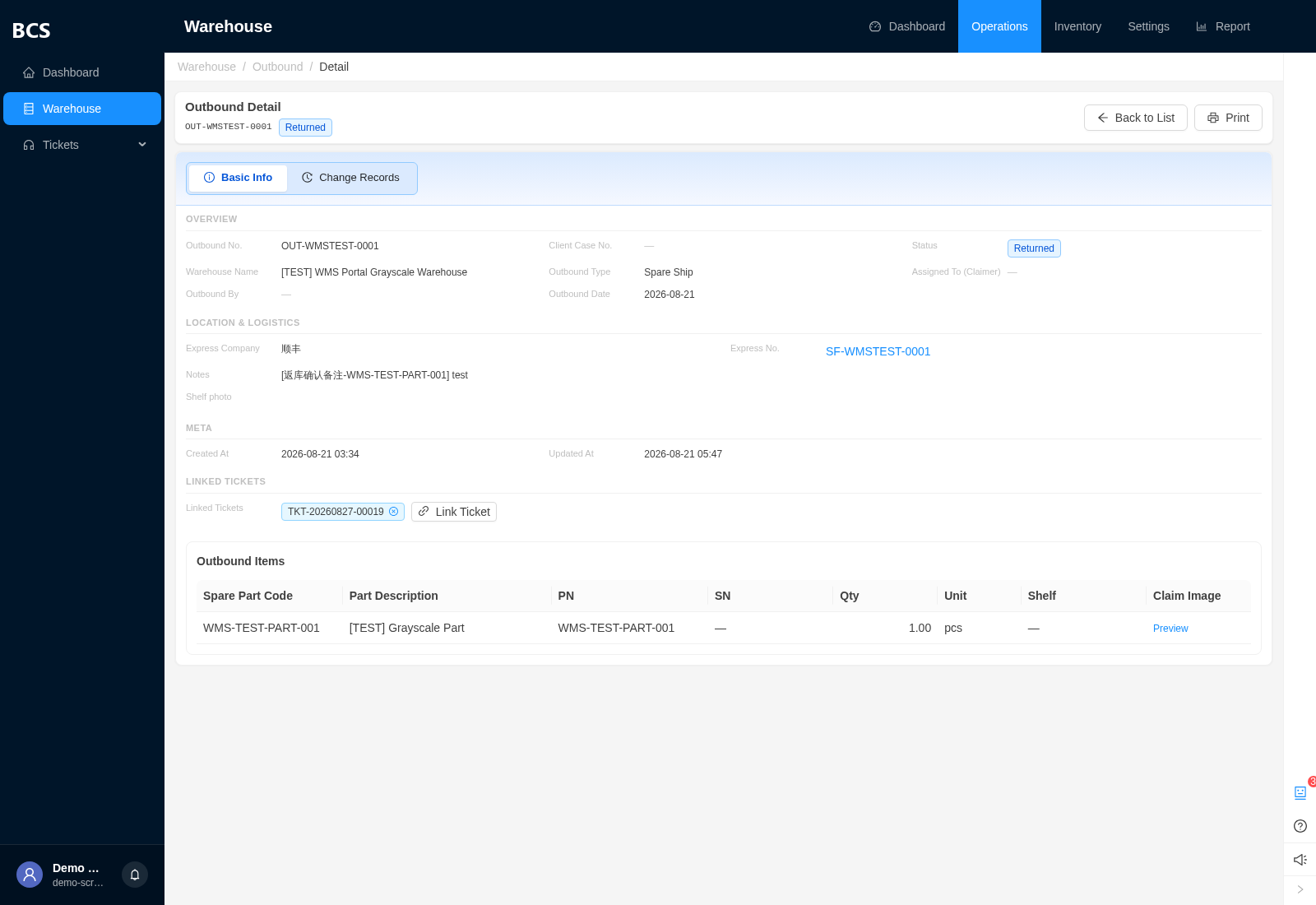
Outbound
Also in supplier portalItem-level claim → return → confirm-return workflow. Returns are two-step by design — requesting a return doesn't move inventory until it's confirmed — with a delivery photo required as proof.
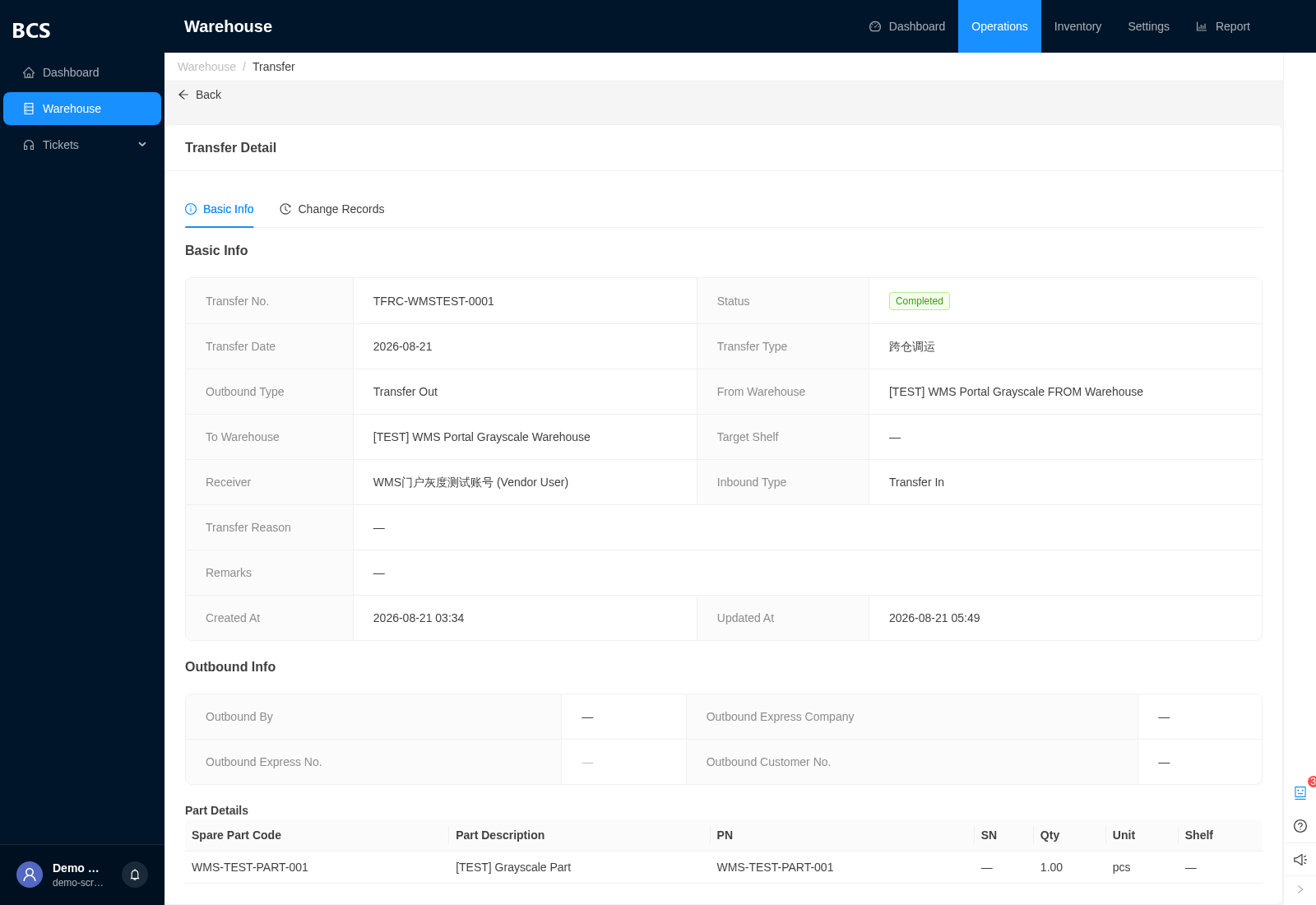
Transfer
Also in supplier portalMoves stock between warehouses or sites, with an acceptance step at the receiving side so nothing is “in transit” without a record.
Borrow
Internal onlyShort-term tool and asset loan with a dedicated return process, for equipment that leaves and comes back rather than being consumed.
Consumables
Internal onlyA lighter-weight in/out/stock track for consumable supplies, kept separate from serialized inventory.
Live from the system
ZoneE
Accuracy & Control
The checks that keep the system's numbers trustworthy, and the access model behind who can do what.
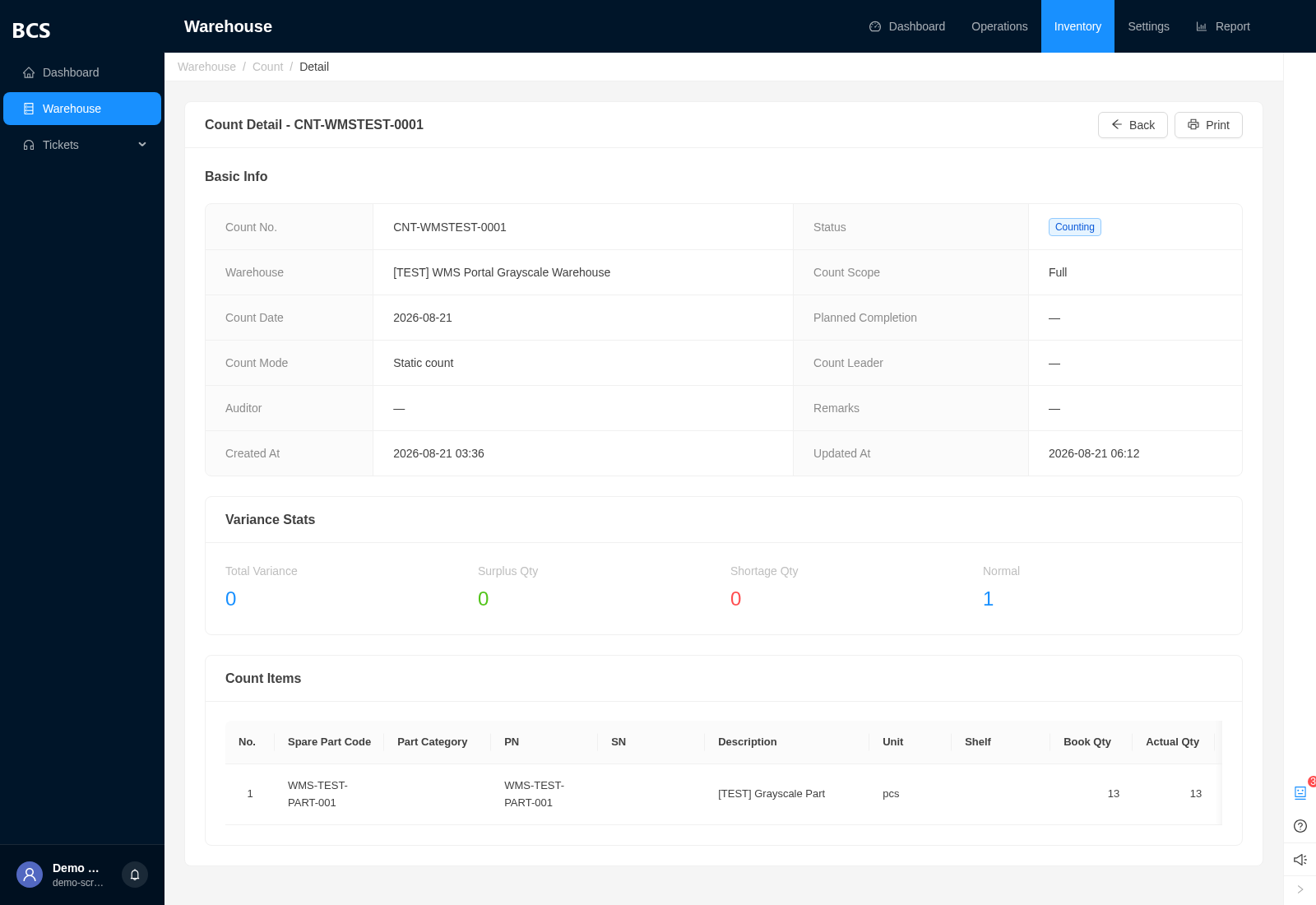
Inventory Count (Stocktake)
Also in supplier portalPlanned counts with automatic variance flagging — a discrepancy over 5% is called out for review rather than posted silently — then an explicit approval step writes corrected quantities back to live inventory.
Rules & Contracts
InternalBusiness rule configuration and the supplier/customer contracts each virtual warehouse is anchored to — the source of truth behind Zone C's isolation model.
Live from the system
Access model
Roles & permissions, at a glance
Four standard warehouse roles ship out of the box, each a named preset over the same fine-grained permission set:
- ✓ Warehouse Manager — full access — view, create/edit, audit/approve, and execute workflows
- ✓ Warehouse Keeper — view, create/edit, and execute workflows, with partial audit/approve rights
- ✓ Warehouse Operator — view and execute workflows, with limited create/edit rights
- ✓ Warehouse Viewer — read-only visibility, no changes or workflow actions
Every action — view, create, edit, audit, claim, confirm, execute — is its own permission, not a bundle. Roles are just named presets on top of that; a custom role can be assembled from the same building blocks for any staff member, supplier, or integration account.
ZoneF
External Portals
The same system, opened up to suppliers and customers — each seeing only what belongs to them.
Supplier Portal — WMS module
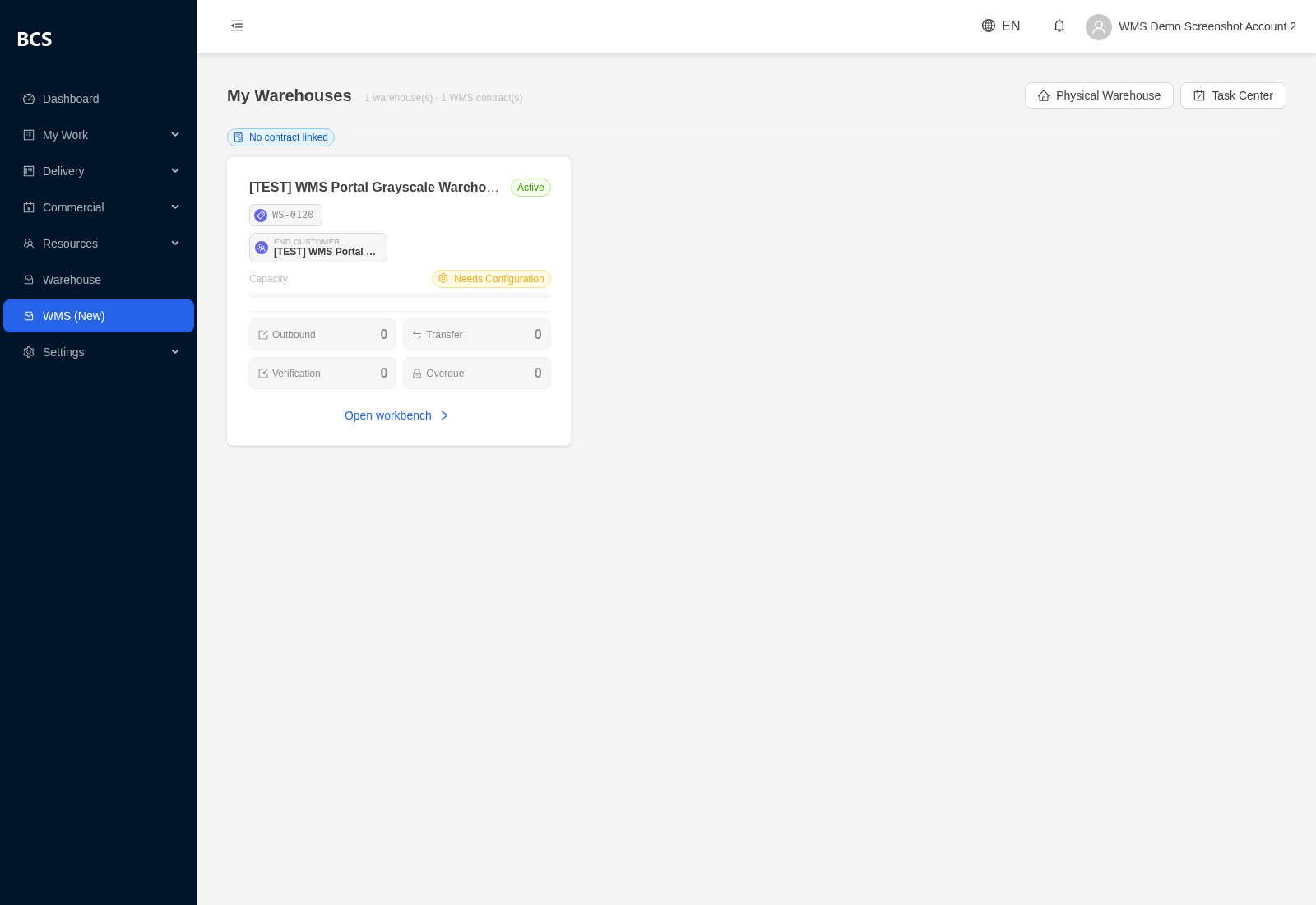
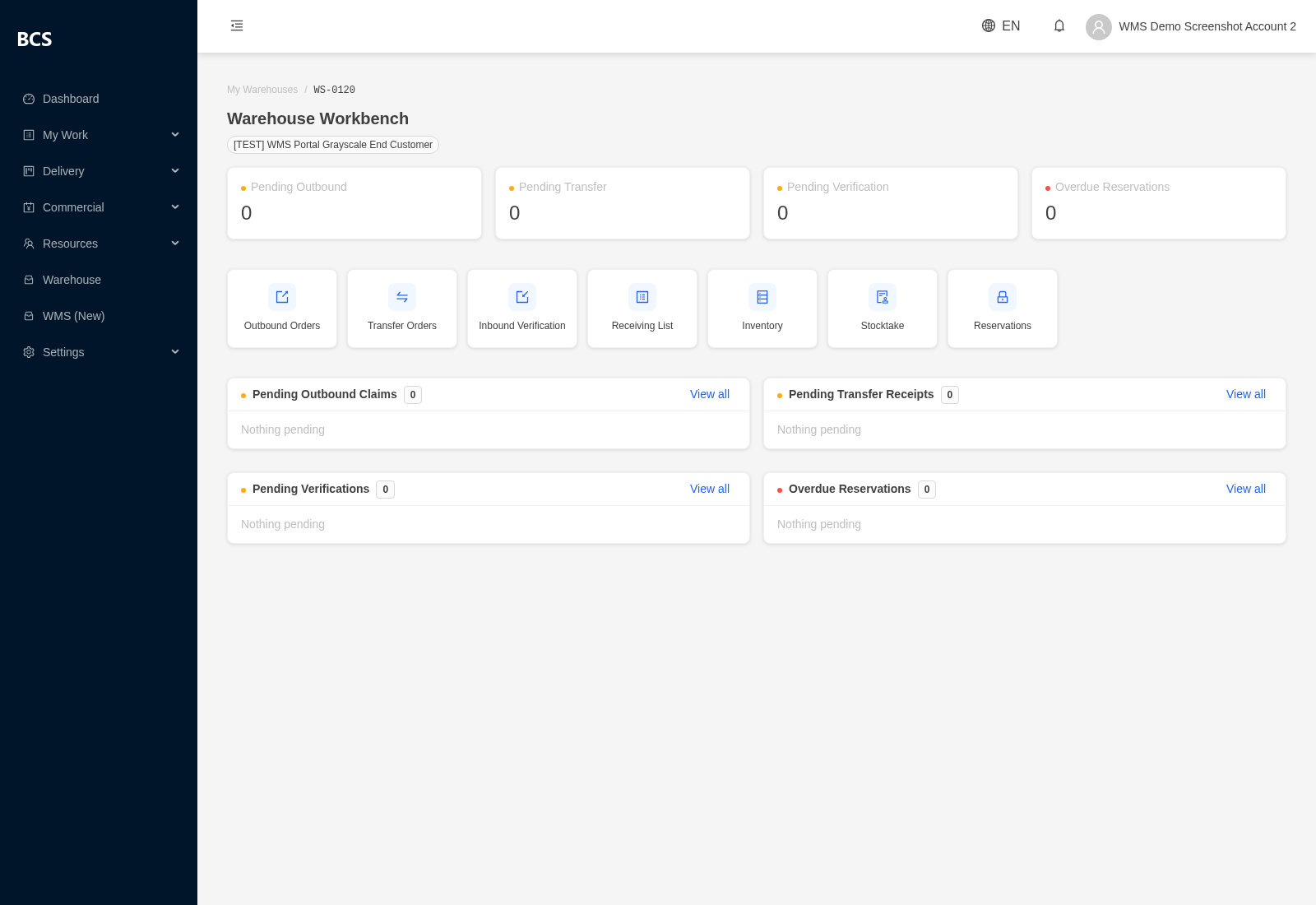
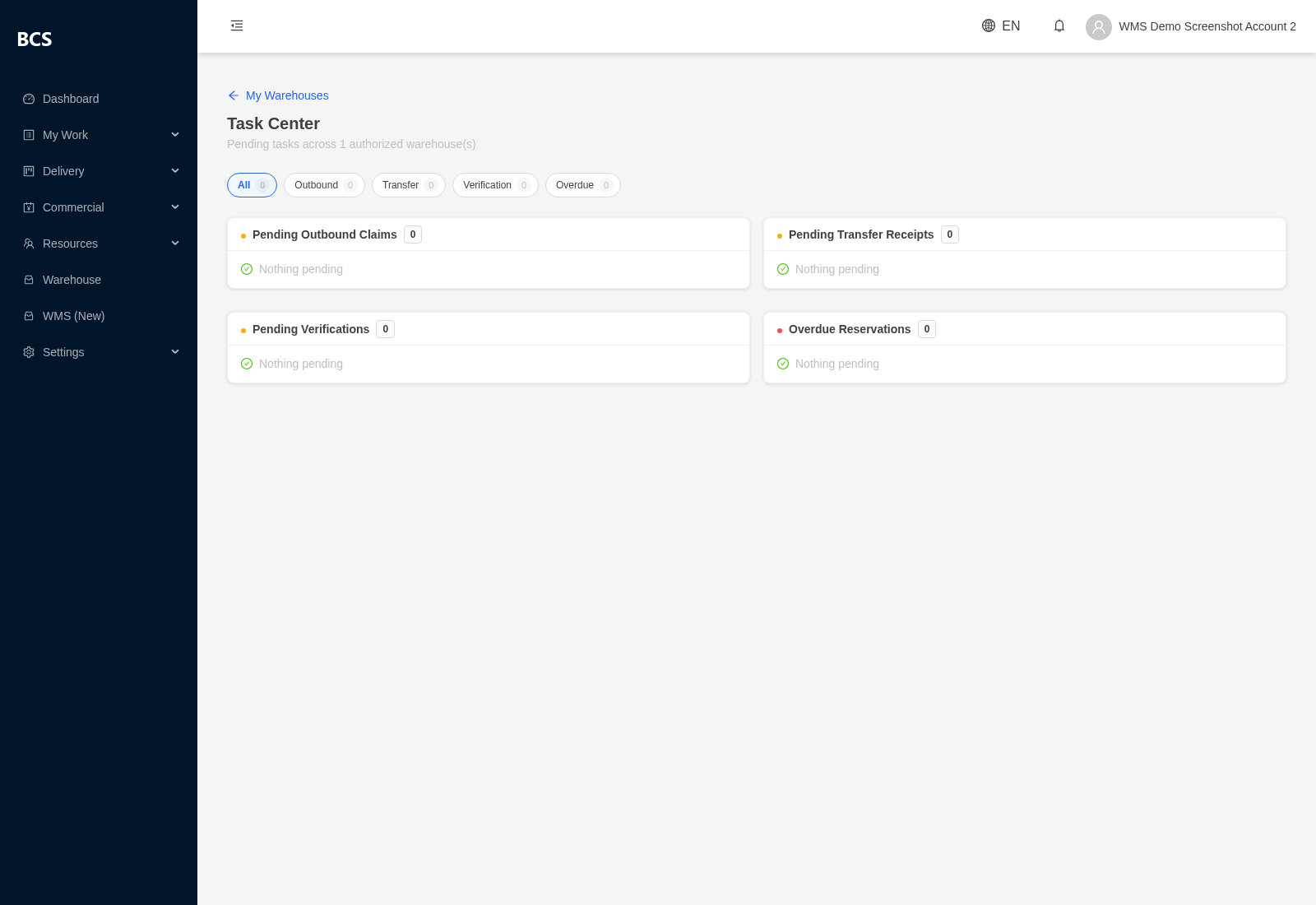
Live · pilot accounts, full rollout pendingSuppliers log into their own branded portal to run their own warehouses: My Warehouses, a task Workbench, a cross-warehouse Task Center, Outbound, Transfer, Inbound Verification, Receiving List (view), Inventory (sliced by end customer), Stocktake, and Reservations. A supplier only ever sees their own authorized warehouses — never another supplier's data, and never internal cost figures.
Customer Portal
Live · read-onlyA simpler, strictly read-only window: customers see their own inventory and their own delivery/outbound history. No create, edit, or workflow actions — visibility only.
Live from the system — supplier portal
Systems & API
Integration-ready
How this warehouse management system is built to connect to something else — what is proven in production today, and what we scope together for your specific integration.
One consistent shape, across every module above
Token-based access, already proven
Both external portals in Zone F already authenticate every request with a bearer token rather than a browser session — the same foundation a system-to-system integration would use, running in production today, not a new invention.
Governed by the same permission model
An integration account is scoped with the exact same fine-grained permissions as Zone E — it can be limited to precisely the records and actions your integration needs, and nothing else.
API-key groundwork already in place
Per-key rate limits, IP allow-listing, expiry, and usage logging are already modeled in the system for supplier and customer keys. Wiring that up for a specific integration is scoping work done together in a discovery conversation — not a standing feature switched on by default.
Event-driven notification, a known quantity
The platform already runs webhook-style integrations elsewhere for other external systems, so building outbound event notifications — e.g. “inbound received,” “outbound shipped” — for your system is proven territory, not a first attempt.
Already live: third-party courier tracking API
Live in productionEvery Outbound record already carries a real courier integration — SF Express and other major couriers via a real-time tracking API, queried directly from the shipment record. Carrier credentials are injected via environment variables and proxied server-side, never exposed to the browser. Access is scoped to the caller's own data — a user can only query tracking numbers that appear on their own warehouse documents, not an open lookup. The carrier is auto-detected from the tracking number, so the integration isn't hardcoded to one courier.
What we scope with you in an integration discovery call
Four questions determine the actual integration design — worth answering out loud before either side writes a spec:
Direction
Does your system need to push data to us (POs, shipment notices), pull from us (stock levels, delivery status), or both?
Timing
Real-time event notifications as things happen, or a scheduled batch sync on an interval that suits your side?
Granularity
Order-level summaries, or line-item / serial-number-level detail?
Security
A dedicated API key per system, IP allow-listing, and what rate of traffic we should plan for.
FAQ
Common questions about the BCS WMS
Full answers live on our FAQ page — the single source for every question below.
See this warehouse management system running on your own operation
The BCS WMS — including its supplier and customer portals — is included when Brocent operates warehousing for you under Warehouse as a Service. And if your ERP, procurement, or logistics system needs to talk to it, an integration discovery call is where the four questions above get answered.