The Building Is the Bottleneck: IT Support in a Kowloon East Industrial Block
A composite scenario from Kowloon East: a fifty-five-person import and distribution business running an office, a showroom and a stock floor in one converted industrial building. Why the building — not the contract — is usually what makes IT support feel slow, and how to design around it.
Short answer: IT support in Kowloon East is not a different service from IT support in Central — it is the same service meeting a different building. Converted industrial blocks change Wi-Fi physics, riser ownership, lift access and realistic response times. Survey the building before you buy the network, and decide onsite-versus-remote by the physical layer, not by the ticket priority.
An import and distribution business in Kwun Tong once described its IT problem to us in a single sentence: "The office is fine. It's the rest of the building." That is, in our experience, the most accurate one-line summary of what makes Kowloon East different — and the reason a company can buy a perfectly good managed IT contract and still feel unsupported.
This is an illustrative composite scenario, not a named client. The details below are drawn from the way this kind of business genuinely operates in Hong Kong's converted industrial districts, and every service mechanic described is a real part of what Brocent does. No pricing figures, statistics or client names have been invented.
Why does IT support in Kowloon East feel different from IT support in Central?
Search for IT support in Kowloon and you will mostly find providers describing coverage — we serve Kowloon, we serve Hong Kong Island, we serve the New Territories. Coverage is real and it matters, but it answers a logistics question, not an engineering one. The engineering question is what the building does to your network and to your response times.
A Grade A tower in Central is, from an IT perspective, a fairly cooperative environment. Floor plates are open and predictable. Ceiling voids are designed for cabling. The building management office has a documented process for riser access. The lifts are fast, plentiful, and go where you need them. Two people carrying a switch and a ladder can get from the street to your floor in a few minutes at almost any hour of the day.
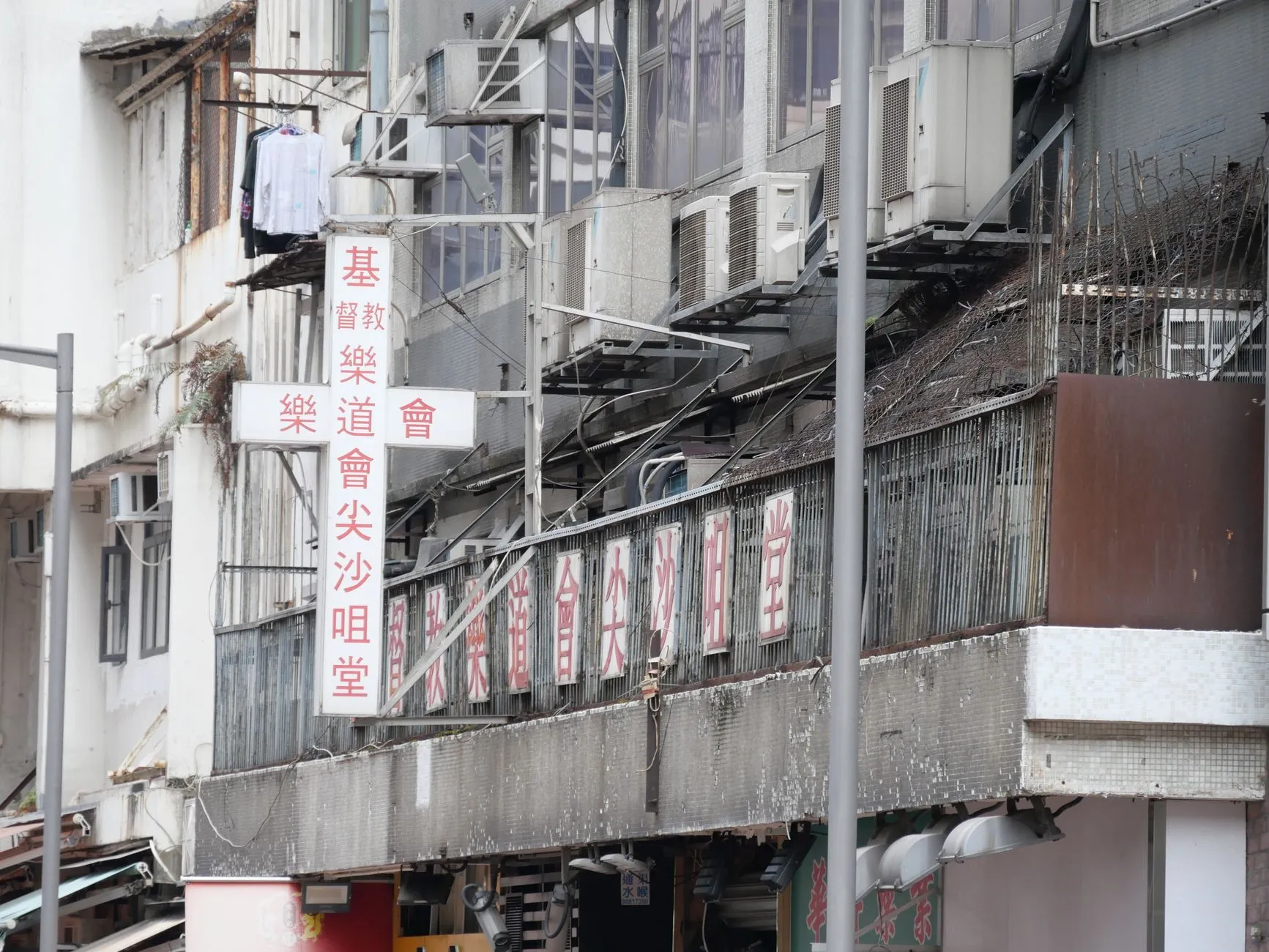
A converted industrial building in Kwun Tong, Kowloon Bay or Cheung Sha Wan is a different animal. It was built to move goods, not people or data. The structure is heavy — thick concrete slabs, structural columns at short intervals, sometimes steel mezzanines added decades later. Floor-to-ceiling heights are generous, which sounds helpful until you realise it means your access points end up five metres above the people using them. Goods lifts are shared, slow, and occupied by everybody else's deliveries at exactly the hours you need them. And your "office" is very often not one space but three: a front office, a showroom, and a floor of racking holding stock.
None of that is a complaint about Kowloon East. These buildings are the reason a fifty-person distribution business can afford to keep office, showroom and stock under one roof in Hong Kong at all — an enormous operational advantage that a Central tower simply cannot offer at any sane price. But it does mean that IT support designed for a tower will underperform here, and the company will experience that as "our IT provider is slow" when the truth is closer to "our IT design ignored the building."
The scenario: one company, three environments, one building
Picture a Hong Kong import and distribution business of about fifty-five people, working in consumer electronics and housewares. It buys from mainland Chinese and Southeast Asian manufacturers, sells to Hong Kong retail chains and a growing list of regional wholesale accounts, and has been in the same converted industrial block in Kowloon East for nine years, expanding from one floor to two along the way.
The front office holds roughly thirty people: sales, merchandising, finance, logistics coordination, and a two-person marketing team. This is standard knowledge work — Microsoft 365, an ERP client, a great deal of Excel, and a great many video calls with suppliers in three time zones.
The showroom occupies part of the same floor. Buyers from retail chains come in, sit down, and are shown product. It needs guest Wi-Fi that works first time in front of a customer, a large display that connects without drama, and a demo network that does not expose the corporate LAN to a visitor's laptop.
The stock floor is the other floor: pallet racking, a goods-in area by the lift lobby, handheld scanners, a couple of label printers, and six to eight staff who spend their entire working day walking. The devices here are not laptops. They are rugged handhelds, a shared terminal at the packing bench, and a printer that has to work at 8:30am when the day's picking list comes out — not at 9:15am after somebody has restarted it twice.
Three environments. One IT budget. One provider. And, critically, one Wi-Fi network that somebody once designed by walking around the office floor holding a phone.
What actually goes wrong in a converted industrial building
Wi-Fi that was designed for an office and deployed into a warehouse
This is the single most common failure we see in this category, and it is rarely diagnosed correctly. The office floor gets good coverage, because that is where the access points went and that is where the person doing the walk-test was standing. The stock floor gets whatever leaks through the slab, plus one or two APs mounted wherever there happened to be a convenient power point.
The physics are unforgiving. Metal pallet racking is close to the worst possible wireless environment: it reflects, it absorbs, it changes character as stock levels change, and the aisles behave as waveguides that carry signal a long way in one direction and almost nowhere in another. A survey done on a half-empty stock floor in January tells you very little about the same floor in October when it is full to the top rail. Add high ceilings — an access point at five metres serves a much larger and much weaker footprint than the same access point at 2.7 metres — and you have a network that tests fine and works badly.
The symptom staff report is never "the RF design is wrong." It is "the scanner keeps dropping," "the printer goes offline again," "I have to walk to the window to send the pick confirmation." Those get logged as device faults, and get fixed as device faults, repeatedly, for years.
This is precisely what a wireless site survey exists to prevent. Brocent's certified wireless engineers use Ekahau Pro, AirMagnet and Chanalyzer Wi-Spy Dbx to produce detailed RF heat maps showing signal strength, co-channel interference and recommended AP placement. There are four distinct survey types for four distinct moments: a predictive survey built from floor plans before you buy any hardware; a new-network survey during design, assessing signal strength, AP location, RF interference and noise; a health-check survey to diagnose an existing network that is misbehaving; and a post-installation survey that certifies coverage, interference, channels and capacity actually meet the business need. A distribution business in a converted industrial block usually needs the third one first and the fourth one at the end.
The landlord owns the riser, and you don't
In a converted industrial building, the vertical cabling path between your two floors is frequently not yours to use freely. Some blocks have a formal building-management process for riser access; some have an informal one that consists of knowing which contractor did the last job. Either way, running fibre or copper between floors is a scheduled, permissioned activity — not something an engineer decides to do on a Tuesday afternoon because it seemed tidier.
The practical consequence is that inter-floor connectivity decisions are close to irreversible in the short term. If you put the firewall, the main switch and the ISP termination on the office floor and treat the stock floor as a satellite hanging off a single uplink, you have made a decision you may live with for several years. When that uplink degrades, the entire picking operation degrades with it, and the fix requires building-management cooperation rather than an engineer with a crimping tool. That is a design question that deserves a design conversation, not a default.
Lift access, loading bays, and the physics of response time
Every SLA is written in hours. Every actual response is measured in how long it takes a human being carrying equipment to reach your rack.
In Kowloon East, that human being has to find the building, use a goods lift shared with everybody else's deliveries, and frequently wait behind a lorry at the loading bay. Add a replacement switch, a UPS, or a server-sized box, and the passenger lift stops being an option at all. None of this appears in a service catalogue, but all of it appears in the gap between a four-hour SLA on paper and a four-hour SLA in practice.
The answer is not a stricter SLA. Contractual severity does not make a goods lift arrive faster. The answer is designing so that fewer problems require a physical visit at all, and so that the visits that do happen are batched and scheduled rather than emergency. That is a design outcome, not a contractual one — and it is the part most procurement processes never ask about.
The stock floor has different device economics
An office laptop is replaced on a refresh cycle and is broken by accident. A warehouse handheld is dropped daily, lives in a charging cradle, runs exactly one application, and is broken by design — it is consumable equipment with a predictable failure rate. Managing them the same way produces two bad outcomes simultaneously: the office gets over-managed and the stock floor gets under-supported.
The useful mental model is that a distribution business in a converted industrial building is running two IT estates that happen to share an internet connection and a company name. They should share governance — one asset register, one security policy, one help desk — and diverge in operations, because a spare handheld on a shelf is worth more than a four-hour SLA on a handheld.
How Brocent thinks about a building-shaped IT problem
Survey first, buy second
We think this is the highest-leverage rule in the whole category, and it is regularly ignored because surveying feels like a delay before the "real" work starts. In a converted industrial building, the survey is the real work. A predictive survey built from floor plans — assessing wall types, AP placement and user density before anything is purchased — routinely changes the hardware count in both directions. Sometimes it saves the client money, because eight well-placed access points beat twelve badly-placed ones. Sometimes it costs more, because the stock floor genuinely needs more radios than an office walk-test suggested. Either way, the number stops being a guess and becomes defensible.
Design coverage for the worst square metre, not the average
Average coverage is a comfortable metric and a misleading one. A stock floor with 95% good coverage and one dead aisle does not have a 5% problem; it has a daily operational problem, because that aisle is where somebody stands every single morning. The design target on a warehouse floor should be the worst location under full-stock conditions, measured at the height the device is actually held — not a laptop on a desk at 750mm, but a handheld at chest level in an aisle between two full racks.
Decide onsite versus remote by the physical layer, not by ticket priority
Most managed IT contracts escalate to an onsite visit based on severity. In a building where getting onsite is genuinely slow, severity is the wrong axis. The better rule is blunt: if the fault is above the physical layer, it should almost always be resolved remotely and immediately; if it is at the physical layer, dispatch immediately and stop attempting remote fixes that cannot possibly work.
That sounds obvious and is surprisingly rarely implemented, because it requires the service desk to have enough environment-specific context to make the call correctly on first contact. That is a knowledge-transfer and onboarding investment, not a technology one. Brocent's 24×7 multi-lingual help desk is an ITIL-based Global Service Desk operating from decentralised centres in mainland China, Hong Kong and Malaysia, handling roughly 15,000 IT incidents and service requests a year with support in Cantonese, Mandarin and English, and escalating to onsite dispatch when remote resolution is not possible. In a Kowloon East context the value is less the raw volume and more that the desk knows which of your problems are worth a lorry ride.
Take the hardware risk off the client where the environment is hostile
A warehouse floor eats access points. Dust, heat, forklift knocks, and the simple fact that they are mounted high and therefore rarely inspected until they fail. Under a managed wireless network arrangement the hardware is part of the service rather than a capital purchase: there is no hardware or software CAPEX to build enterprise-class wireless, all sites are managed from a single cloud panel rather than an on-premises controller, new sites are provisioned with zero-touch configuration, a Level 2 backline team works around the clock on availability and security, and when a device fails Brocent delivers a spare and makes the replacement within the agreed SLA at no extra hardware-repair cost.
For a business whose showroom Wi-Fi is customer-facing and whose stock-floor Wi-Fi is directly revenue-critical, moving hardware replacement risk to the provider is usually the right trade — not because the hardware is expensive, but because the alternative is a procurement conversation happening on the morning the picking operation is down.
Kowloon East, Hong Kong Island and the New Territories: what actually differs
The three districts compared, for a distribution-style business
- Hong Kong Island (Central, Admiralty, Quarry Bay, Kennedy Town): Grade A and B towers, cooperative building services, fast lifts, predictable floor plates. Wireless design is close to textbook and physical response is fast. The real constraints are cost per square foot and the fact that stock cannot realistically live in the same building — so IT ends up supporting a split-site operation from day one, with all the connectivity and asset-tracking overhead that implies.
- Kowloon East (Kwun Tong, Kowloon Bay, Cheung Sha Wan): Converted industrial blocks, high ceilings, heavy structure, shared goods lifts, mixed-use floors. Office, showroom and stock can share one building — the operational win — but the network must be designed for three environments at once, and physical response time is bounded by the building rather than by the road.
- New Territories (industrial estates, Tsuen Wan, Yuen Long, Fanling): Purpose-built industrial premises, often larger, lower-density, and with genuine warehouse-scale distances between people and equipment. Travel time from the urban core becomes the dominant response-time factor, which pushes the economics towards a scheduled onsite presence rather than pure dispatch.
Our published Hong Kong coverage guide covers the district picture across the whole territory. This article is deliberately the narrower question: what happens inside one Kowloon East building.
Dispatch, embedded engineer, or a mix?
- Pure dispatch: Right when faults are genuinely occasional and the network design is sound. It is the cheapest model and entirely dependent on the design being good enough that few visits are ever needed. In a badly-surveyed building it is the most expensive model, because every coverage problem arrives as a device ticket.
- Scheduled recurring onsite: A fixed half-day or day per week. Badly underrated for this profile. It converts unpredictable emergency visits into planned maintenance, catches the high-mounted access point that has been quietly degrading, and gives the stock floor a human being they can flag things to before those things become incidents.
- [Full-time onsite engineer](/services/full-time-onsite-it-support-services): A dedicated, named engineer working exclusively at your site, fully integrated into your team but backed by Brocent's tools, training and escalation network, with leave and absence cover provided from a trained pool. Justified when the operation is large enough that somebody would otherwise be doing this job informally and badly. The trigger is device count and floor area as much as headcount.
A practical sequence for a Kowloon East move or refresh
If you are moving into, expanding within, or repairing a converted industrial building, the order matters more than the individual components.
First, survey under realistic conditions. Run a health-check survey of the existing network at full stock, not at year-end when the racks are half empty. Measure at device height, in the aisles, with the racking as it actually is. Get the heat map and keep it.
Second, decide the inter-floor topology deliberately. Where does the internet terminate? Where does the firewall live? Is the second floor a satellite or a peer? Ask building management about riser access before you commit, not after — the answer may change the design.
Third, separate the three environments logically. Corporate, showroom and guest, and stock-floor device networks should be distinct. This is for security, for troubleshooting, and so that a product demo in the showroom cannot degrade picking performance on the floor above.
Fourth, right-size the access point count from the survey, not from the floor area. Floor area is a sales heuristic. The heat map is evidence. If a quote arrives with an AP count and no survey behind it, that quote is a guess wearing a suit.
Fifth, agree the onsite-versus-remote rule explicitly. Write down which fault classes trigger immediate dispatch and which are remote-only. Put it in the service definition, not in an engineer's head.
Sixth, verify after installation. A post-installation survey certifying coverage, interference, channel plan and capacity is the entire difference between "we installed it" and "it works." Insist on it, and read it.
What this costs, in shape rather than in numbers
We are not going to invent figures here, and you should be sceptical of anyone who quotes a Kowloon East number without seeing the building. What is worth understanding in advance is the shape of the cost.
Brocent's managed IT support plans are per-user monthly tiers sized by company, and the entry tier is scoped at 1–5 employees — so there is no minimum headcount that excludes a business of this size. Network and wireless coverage is an add-on with a banded structure rather than a straight per-device multiplier: a flat monthly fee covers up to ten devices, and it re-bands at 11–30, 31–75, and 76 and above. That banding is the number that actually moves in a converted industrial building, because a stock floor pushes device count up considerably faster than headcount does. Two floors with proper coverage can land in a different band than one floor served by a single uplink — which is one more reason the survey should precede the contract rather than follow it.
Live per-market pricing for plans and add-ons is published on the managed IT support page and on the pricing page. Anything specific to your building should come from a site visit, because the building is exactly the variable a price list cannot see.
Frequently asked questions
Is IT support in Kowloon actually different from IT support elsewhere in Hong Kong?
The service is the same; the delivery environment is not. Kowloon East's converted industrial stock changes wireless design, inter-floor cabling, physical access and realistic response times. A provider that treats the district as a postcode rather than as an engineering constraint will underdeliver — not through lack of skill, but through a design that quietly assumed a commercial tower.
How often should a warehouse or stock-floor Wi-Fi network be re-surveyed?
Whenever the RF environment materially changes. For a distribution business that means after a racking layout change, after a significant and sustained change in stock levels, after adding a mezzanine or partition, and after any access point replacement. A health-check survey is also the right first step whenever staff report intermittent scanner or printer dropouts, because those symptoms are far more often coverage problems than device problems.
Can one Wi-Fi network serve the office, the showroom and the stock floor?
One physical infrastructure, yes. One flat network, no. The three environments have different security postures, different traffic profiles and different failure consequences. Separating them logically costs nothing extra at design time and saves a great deal of troubleshooting later. It also guarantees that a showroom demo for a retail buyer cannot compete with the picking operation for airtime.
What response time is realistic in a converted industrial building?
Realistic response depends on goods-lift availability and loading-bay congestion as much as on road distance. The honest answer is that a provider should commit to a contractual SLA window and then design the environment so that the SLA is rarely tested — by resolving everything above the physical layer remotely, and by scheduling preventive visits that catch failures before they become emergencies.
Do we need a full-time onsite engineer, or is dispatch enough?
For a business of roughly this size and shape, a scheduled recurring onsite visit combined with on-demand dispatch is usually better economics than a full-time engineer. The signal that you have crossed into full-time territory is not headcount — it is when somebody in operations has quietly become the unofficial IT person, and it is costing you their real job.
What should we ask a provider before signing, specifically for a Kowloon East site?
Ask three things. Will you survey before quoting a hardware count, and will you show us the heat map? What is your written rule for dispatching onsite versus resolving remotely? And who owns the access point on the stock floor when it fails at 8:00am — us or you?
Does Brocent actually work in these buildings?
Yes. Brocent has had a Hong Kong office since 2016 and delivers field services across the territory, with in-country spare parts stocked in Hong Kong, mainland China, Japan and Singapore. Wireless site surveys, managed wireless networks, infrastructure deployment and onsite support are all standard service lines, and the same field-service capability supports industrial, warehouse and mixed-use premises as well as commercial towers.
The point
The building is the bottleneck — but only if nobody designs for it. Once you accept that a converted industrial block in Kowloon East imposes real physical constraints on wireless coverage, cabling routes and response times, those constraints become tractable engineering problems with known answers: survey properly, separate the environments, band the network correctly, and decide onsite-versus-remote by the physical layer rather than by ticket severity.
What does not work is buying a tower-shaped IT contract for a warehouse-shaped building and then escalating when it underperforms. The contract was never the problem.
If you are operating out of Kwun Tong, Kowloon Bay, Cheung Sha Wan or anywhere else in Kowloon East, and the phrase "the office is fine, it's the rest of the building" sounds familiar, talk to us. The first useful step is almost always a health-check survey, and it will tell you more in a day than a year of device-fault tickets ever will.
Share:
Ready to take action?
Turn these insights into a roadmap for your business.
Book a 15-minute no-obligation consultation with our APAC IT experts. We'll review your current setup and provide a tailored IT roadmap within 24 hours.
Explore all servicesFree Checklist
10 Critical Checks Before Expanding IT to Greater China
PIPL compliance, network segmentation, bilingual helpdesk setup, and more — everything your IT team needs before Day 1 in China.
Request the checklist →📬 Monthly Asia IT Insights
China compliance updates, cybersecurity alerts, and IT tips for APAC teams — once a month.
No spam. Unsubscribe anytime.