The Password Reuse Nobody Flagged: MFA Rollout at a Hong Kong Accounting Firm
A composite scenario from Hong Kong: a routine IT review at an accounting firm finds a staff member reusing the same password across email and the practice-management system, with no MFA on either. Why the fix isn't a stricter password policy, and what a properly designed MFA and conditional access rollout actually looks like alongside a managed IT plan.
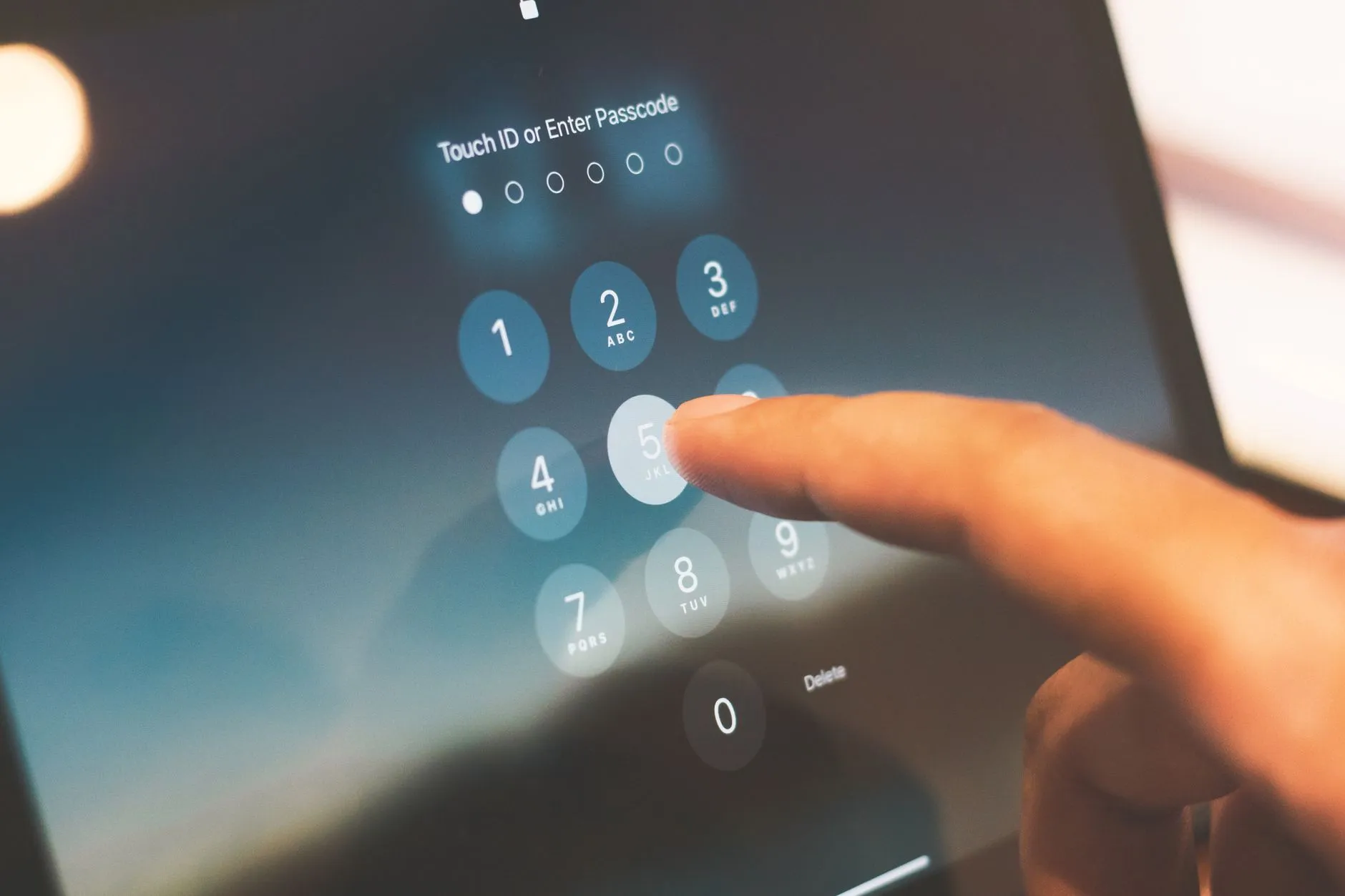
TL;DR: A routine IT review at a Hong Kong accounting firm turned up something uncomfortable: a staff member had been reusing the same password across the firm's email system and its practice-management platform for years, and neither system had multi-factor authentication (MFA) switched on. The firm's first instinct was to write a stricter password policy. The real fix wasn't a better password — it was removing the password's ability to be the only thing standing between an attacker and client data.
Hong Kong Accounting Firms Sit on More Sensitive Data Than They Usually Admit
This is a composite scenario, not a named client, but it's a familiar shape across Hong Kong's mid-market accounting and audit sector — firms in roughly the 30-to-60-staff range that handle statutory audits, tax filings, and advisory work for a client base spanning SMEs, family businesses, and increasingly regulated corporates. On paper, these firms don't look like an obvious cybersecurity target. There's no trading floor, no customer-facing app, no payment gateway. What there is, quietly, is one of the highest concentrations of sensitive financial data outside a bank: client bank statements, payroll records, tax filings, cap tables, merger and acquisition working papers, and — for firms doing statutory audit work — the kind of access to a client's internal financials that would take an attacker weeks to reconstruct from anywhere else.
That data doesn't live in one place. It's spread across the firm's email system (which carries client correspondence and, routinely, attachments nobody thinks to encrypt separately), a cloud storage or file-sync platform holding working papers and engagement files, and a practice-management system that tracks client records, billing, and often document workflow end to end. Each of those systems is a door. A firm this size typically runs all three with a handful of IT-savvy staff and an outsourced IT arrangement handling day-to-day support — not a dedicated security function, and not, in most cases, anyone whose job is to ask whether those doors are actually locked the same way.
The commercial pressure compounding this is real and growing. Client engagement letters increasingly carry data-handling and security clauses, prompted by the client's own compliance obligations under the Personal Data (Privacy) Ordinance (PDPO) and, for clients in regulated sectors, their own regulators' expectations about the chain of vendors touching their data. Professional indemnity insurers ask sharper questions at renewal than they used to. None of this requires the accounting firm itself to be licensed or regulated — it only requires the firm to be trusted with data that someone else is accountable for, which describes almost every engagement an audit or accounting practice takes on.
The Scenario: Password-Only Access, With MFA Turned On Wherever Someone Happened to Remember
Here's what the IT review in this scenario actually found, and it's a pattern that repeats across firms this size far more often than firm leadership assumes. Most systems ran on password-only access — a username and a password, full stop. MFA existed, technically, but inconsistently: it had been switched on for the firm's core email tenant at some point, probably during a Microsoft 365 setup or renewal, but nobody had gone back to check whether it was actually enforced for every mailbox, or whether it extended to the practice-management platform, the cloud storage account, or the VPN staff used to work from home during busy season.
There was no conditional access policy governing any of it — no rule distinguishing a login from the office network on a firm-managed laptop from a login attempt from an unfamiliar IP address at 3 a.m. Every login looked the same to every system, regardless of where it came from or what device it came from. And there was no self-service password reset process worth the name — when someone forgot a password, the fix was usually a phone call to whoever handled IT, who reset it manually, often without a strong way to verify the caller was actually who they claimed to be.
The password reuse itself surfaced almost by accident, during a routine access review ahead of a client's due-diligence questionnaire. A staff member had been using the same password for the firm's email account and the practice-management login for several years — not out of carelessness exactly, but because nobody had ever told them not to, and because the firm had never enforced a policy that would have caught it. That's the detail that actually worried the partners once they understood it: one password, reused across two systems holding years of client financial data, protected by nothing but the password itself.
What This Actually Exposes — and Why a Stricter Password Policy Doesn't Fix It
Three real problems came out of this once the firm looked closely, and they're worth separating because they don't all get solved the same way.
First, a single compromised password is enough to reach client data — not because the firm was careless, but because password-only access was never designed to survive a credential ending up in the wrong hands. Passwords get phished, get reused across breached third-party sites, get guessed, or get exposed in a breach the firm never hears about until an attacker uses it. Over 80% of data breaches involve a stolen or weak credential somewhere in the chain — a statistic that describes exactly this firm's exposure, not an abstract industry-wide risk. Once one password is compromised at a firm running password-only access, the attacker generally has the same access the legitimate user had, to whatever that user could reach.
Second, there's no policy distinguishing a trusted device on the office network from an unknown device logging in from anywhere in the world. A login from a partner's firm-managed laptop on the office Wi-Fi and a login from an unfamiliar device on a residential connection in another country look identical to a system that only checks a username and password. That's a real gap for a firm whose staff travel for client site visits, work occasional evenings from home during audit season, and increasingly use personal devices to check email — none of which is unusual, but all of which needs a policy layer that password-only access simply doesn't have.
Third — and this is the one firms tend to miss — self-service password resets, done badly, create their own social-engineering risk. A reset process that relies on a phone call and a few easily-guessable verification questions ("what's your staff ID," "what's your date of birth") is an attack surface of its own. An attacker who's done a little reconnaissance on a target employee — easy enough from a LinkedIn profile or a firm's own "our team" page — can talk their way through a weak reset process just as easily as a legitimate employee who forgot their password. A firm that fixes password reuse but leaves its reset process this loose has closed one door and left another one propped open.
The instinctive response — write a stricter password policy, mandate longer passwords, force more frequent resets — doesn't actually address any of the three problems above. A longer password is still a single point of failure. More frequent forced resets, in practice, tend to push staff toward more predictable password patterns and more password reuse, not less — a well-documented effect that makes strict rotation policies actively counterproductive. The problem was never that the password wasn't strong enough. It was that the password was the only thing standing in the way.
Brocent's Perspective: MFA Rollout Is a Policy Design Exercise, Not a One-Time Toggle
The instinct to treat MFA as a checkbox — "turn it on" — is understandable and almost always incomplete. Turning MFA on for one system, for some users, doesn't close the gap this firm actually had; it just moves it. The firm's original state — MFA "enabled inconsistently where someone happened to turn it on" — is itself evidence of what happens when MFA rollout is treated as a one-time setup task rather than an ongoing policy that has to cover every system, every user, and every access path consistently.
Brocent's MFA solutions approach starts from that premise: MFA rollout is a design exercise, not a switch. It means deciding, system by system, what gets challenged and how — email, practice-management platform, cloud storage, VPN, and any legacy application that doesn't natively support modern authentication (a real and common problem for older practice-management or accounting software, addressed through RADIUS, SAML, or an application proxy rather than left unprotected because it's inconvenient). It means designing conditional access policies that actually distinguish a trusted office device from an unfamiliar one — stepping up authentication based on device compliance, location, and IP reputation, and whitelisting the firm's genuinely trusted devices and locations to reduce day-to-day friction rather than treating every login as equally suspicious. And it means fixing the self-service reset process itself, so it doesn't quietly become the softest target in the whole rollout.
Just as importantly, it means sequencing the rollout so it doesn't lock staff out on day one — a real risk during a firm's busiest season if MFA enforcement goes live badly, and the single biggest reason firms this size put MFA rollout off year after year even after they know they should do it. A managed rollout plans enrolment communications, gives staff a grace period and clear enrolment guidance, and keeps a helpdesk staffed specifically for the transition period rather than letting confused users flood whatever support channel happens to exist. None of this is a one-week project done once and forgotten — it's an ongoing posture that needs monthly visibility into who's actually enrolled, where exceptions exist, and what a rising or falling MFA coverage rate is actually telling the firm about its own risk.
What This Looks Like in Practice for a Firm This Size
Once rolled out properly, MFA is enforced consistently across email and every core system that touches client data — not "turned on for email, forgotten everywhere else," but a single policy applied the same way across the practice-management platform, cloud storage, and remote access, using an authenticator platform matched to what the firm already runs (Microsoft Authenticator through Entra ID being the natural fit for a firm already on Microsoft 365, with Duo Security or Okta available where a firm's application mix calls for it).
Conditional access rules sit on top of that MFA layer, evaluating each login in real time based on location, device compliance, and IP reputation rather than treating every login identically — trusted office devices and locations can be whitelisted to keep day-to-day friction low, while a login attempt from an unfamiliar location or a non-compliant device gets stepped-up scrutiny automatically, without a human having to notice and react in time. For firms with a genuinely sensitive client base or partners handling the most exposed accounts, passwordless and FIDO2 hardware keys are available as a further step — eliminating the password as an attack surface entirely for the accounts where that matters most, without requiring it firm-wide on day one.
Self-service password reset gets fixed alongside the MFA rollout, not left as a separate problem — a reset process that itself requires a second factor rather than relying on guessable verification questions and a phone call, closing the exact social-engineering gap a loosely designed reset process otherwise leaves open. And the rollout itself is sequenced deliberately: staff communications and enrolment guidance go out ahead of enforcement, a grace period covers the transition, and a helpdesk is staffed specifically to handle enrolment questions during the rollout window — so busy season doesn't turn into a lockout event. After go-live, ongoing management covers policy updates, exception handling as new staff or new applications get onboarded, and monthly reporting showing MFA coverage rate, authentication events, and blocked access attempts — giving the partners an actual answer, backed by data, the next time someone asks whether the firm's access controls are working.
Password-Only Access vs. MFA Turned On Inconsistently vs. a Managed MFA and Conditional Access Rollout
Three real states exist for a firm in this position, and it's worth being precise about what each one actually protects:
- Password-Only Access (one factor, one point of failure) — the starting state for most firms this size, and the one that leaves a single compromised password sufficient to reach client email, practice-management records, and cloud-stored working papers. Cheapest to run, and the state most firms don't realise they're still in until an access review or a client's due-diligence questionnaire forces the question.
- MFA Turned On Inconsistently ("some systems have it") — better than nothing, and often mistaken for "done." MFA exists on the system it was easiest to enable — usually email — while the practice-management platform, cloud storage, and VPN quietly remain password-only, or use MFA that was never formally rolled out or enforced. This is the state that actually existed in this scenario, and the one most likely to give a firm false confidence that its access controls are adequate.
- A Managed MFA and Conditional Access Rollout Across Every System (Brocent's model) — MFA enforced consistently across email, practice-management, cloud storage, and remote access; conditional access policies distinguishing trusted devices and locations from unfamiliar ones; a self-service reset process that doesn't become its own weak point; and ongoing monthly reporting on coverage and exceptions, so the firm has an actual, current answer whenever the question comes up.
Frequently Asked Questions
Will MFA slow staff down day to day?
Designed well, it shouldn't meaningfully. Conditional access policies whitelist trusted devices and locations — a partner logging in from the office on a firm-managed laptop typically isn't challenged the same way a login from an unfamiliar device or location would be. The friction that firms actually notice almost always traces back to a badly sequenced rollout — MFA switched on for everyone at once with no enrolment period or helpdesk support — not to MFA itself.
What's the difference between MFA and conditional access?
MFA requires a second factor — a code, a push approval, a hardware key — in addition to a password, before granting access. Conditional access is the policy layer sitting on top of that decides *when* to require it, based on signals like device compliance, location, and IP reputation. MFA without conditional access treats every login the same regardless of risk; conditional access is what lets a firm apply stronger checks only where the risk actually warrants it.
Does this work with Microsoft 365?
Yes — Microsoft 365 and Entra ID (formerly Azure Active Directory) are the natural platform for most Hong Kong accounting firms already running Microsoft's cloud productivity suite, and Microsoft Authenticator with Entra Conditional Access is the most common configuration Brocent deploys for firms this size. The same rollout also extends coverage to systems outside Microsoft 365 — practice-management platforms, cloud storage, and legacy applications — through RADIUS, SAML, or application-proxy integration where a system doesn't natively support modern authentication.
How is a rollout sequenced without locking people out?
Enrolment communications and clear instructions go out before enforcement begins, a grace period covers the transition so staff can enrol without being locked out mid-workday, and a helpdesk is staffed specifically for the rollout window to handle enrolment questions and device changes. Enforcement is typically staged — a pilot group or the systems with the least disruption risk first — rather than switched on for every system and every user simultaneously.
Does this satisfy a cyber-insurance MFA requirement?
MFA is now required by most cyber-insurance policies and an increasing number of compliance frameworks, but insurers are asking more specific questions than "do you have MFA" — which systems it covers, how consistently it's enforced, and whether exceptions are tracked. A managed, consistently enforced rollout with monthly coverage reporting gives a firm a real, current answer to those questions rather than a partial one that only covers the system it was easiest to enable MFA on.
What happens if someone loses their MFA device?
A properly designed rollout includes a secure, managed process for this — verified re-enrolment rather than a bare password reset, so a lost phone or hardware key doesn't become a backdoor around the very control it's meant to enforce. This is exactly the gap a loosely designed self-service reset process leaves open, and exactly what a managed rollout is built to close.
Is this included in a managed IT plan?
Baseline password and credential management is included at every tier of Brocent's managed IT support plans — it's part of what the plan already governs, not a separate purchase. A full MFA and conditional access rollout — covering every system, legacy application integration, and ongoing monthly reporting — is scoped as part of the plan's security governance work, sized to the firm rather than sold as a standalone project. See current pricing for how this fits into each plan tier.
Where This Fits Inside a Managed IT Plan
The honest fix for this firm was never a stricter password policy — it was recognising that MFA and conditional access rollout is governance the firm needs to own on an ongoing basis, not a project that gets done once and checked off. That's exactly why this belongs inside a per-user managed IT plan rather than as a standalone purchase: password and credential management is already part of what Brocent's managed IT support plans include at every tier — Startup, Established, Growth, and Enterprise — alongside 24/7 monitoring, help desk, managed firewall, and patch management. A full MFA and conditional access rollout, extended across managed cloud services like Microsoft 365 and Entra ID, sits inside that same governance relationship rather than as a separate vendor engagement with its own contract and its own gaps to manage.
For a Hong Kong accounting firm that's just discovered a password being reused across systems holding years of client financial data, the useful next step isn't shopping for an MFA vendor in isolation — it's a conversation about what a per-user managed IT plan looks like at the firm's size, with MFA and conditional access rollout scoped as part of the security governance the plan already owns. Buying MFA as a one-off project from a specialist vendor, disconnected from the team running the firm's day-to-day IT, is how firms end up right back in the state this one started in: a control that was switched on once, for one system, and never revisited.
Full pricing details are here, covering all four plan tiers and how security governance work like MFA and conditional access rollout fits into them. The fastest way to find out what a managed rollout would actually look like for a firm your size — including how quickly password reuse and inconsistent MFA coverage like this scenario's could be closed — is to talk to Brocent directly rather than trying to scope it from a pricing page alone.
Share:
Ready to take action?
Turn these insights into a roadmap for your business.
Book a 15-minute no-obligation consultation with our APAC IT experts. We'll review your current setup and provide a tailored IT roadmap within 24 hours.
Explore all servicesFree Checklist
10 Critical Checks Before Expanding IT to Greater China
PIPL compliance, network segmentation, bilingual helpdesk setup, and more — everything your IT team needs before Day 1 in China.
Request the checklist →📬 Monthly Asia IT Insights
China compliance updates, cybersecurity alerts, and IT tips for APAC teams — once a month.
No spam. Unsubscribe anytime.